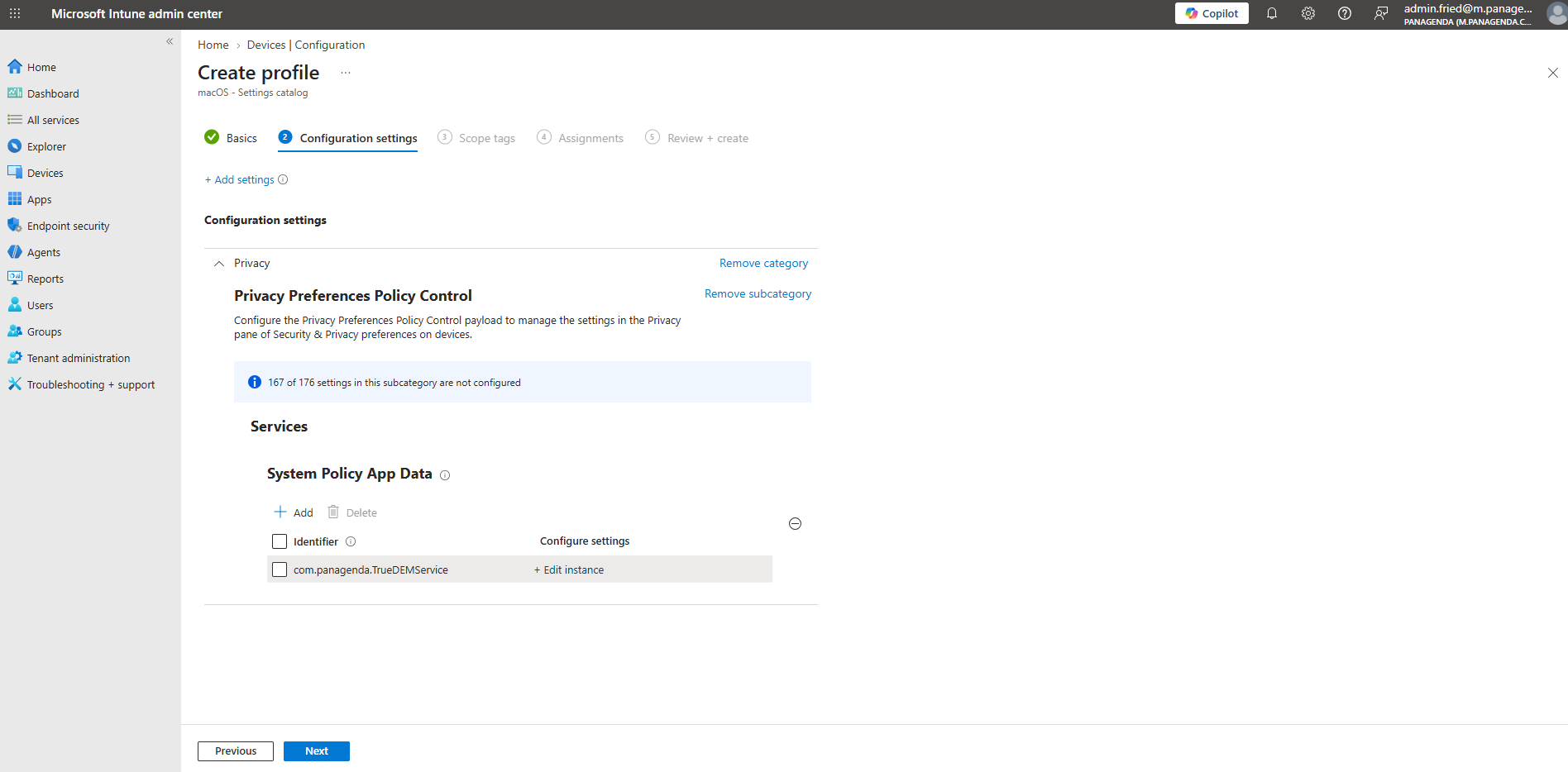
Page History
...
In order to avoid the dialog (and also the known limitation mentioned in the box above), we recommend in adding a Privacy Preferences Policy Control (PPPC) Policy to your macOS Device Management solution.
...
Microsoft Endpoint Manager (Intune) Config
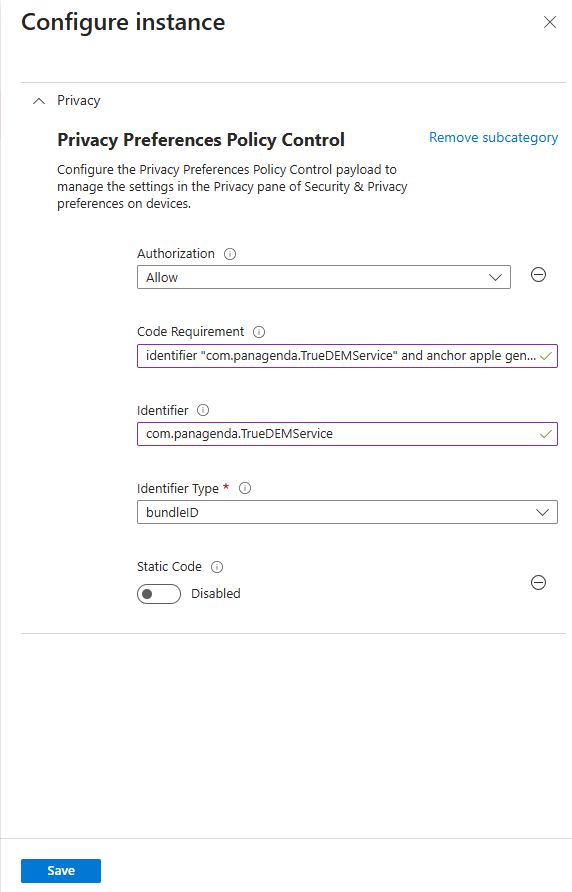
Create a Privacy Preference Policy inside of Intune with the following settings:
| Info |
|---|
The configuration uses App Data and is the least-privilege option. |
| Authorization | Allow |
| Code requirement | identifier "com.panagenda.TrueDEMService" and anchor apple generic and certificate 1[field.1.2.840.113635.100.6.2.6] /* exists / and certificate leaf[field.1.2.840.113635.100.6.1.13] / exists */ and certificate leaf[subject.OU] = "9598MXNN88" |
| Identifier: | com.panagenda.TrueDEMService |
| Identifier type | Bundle ID |
Configuration:
- Open Endpoint Manager - Devces / Configuration / Create new Policy
- Select macOS and Settings catalog
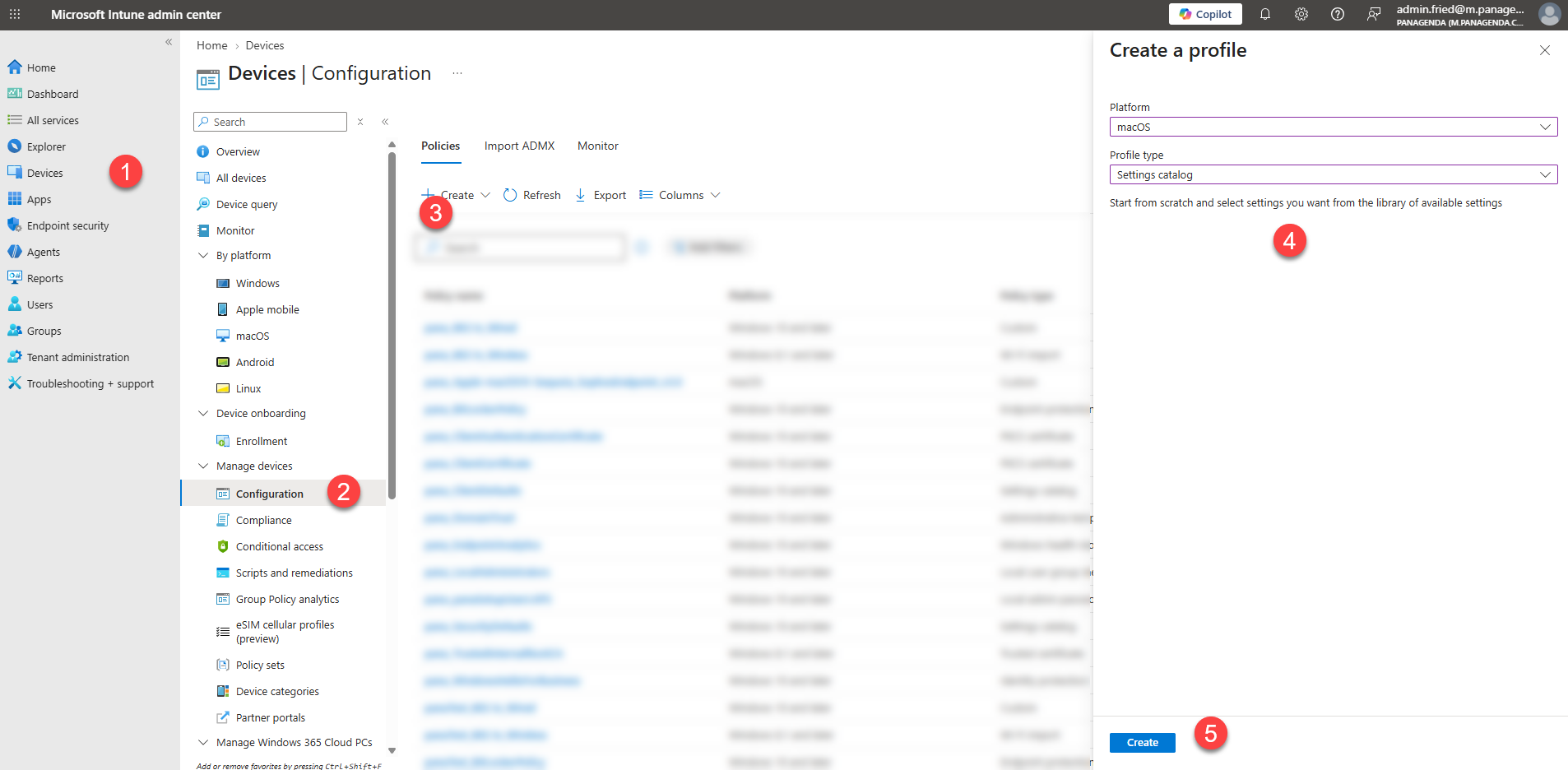
- Enter a name of the Policy and a Description
Description text example:
Allows the signed TrueDEMService application to access protected application data without requiring user approval.
Bundle ID: com.panagenda.TrueDEMService
Team ID: 9598MXNN88
Service: SystemPolicyAppData
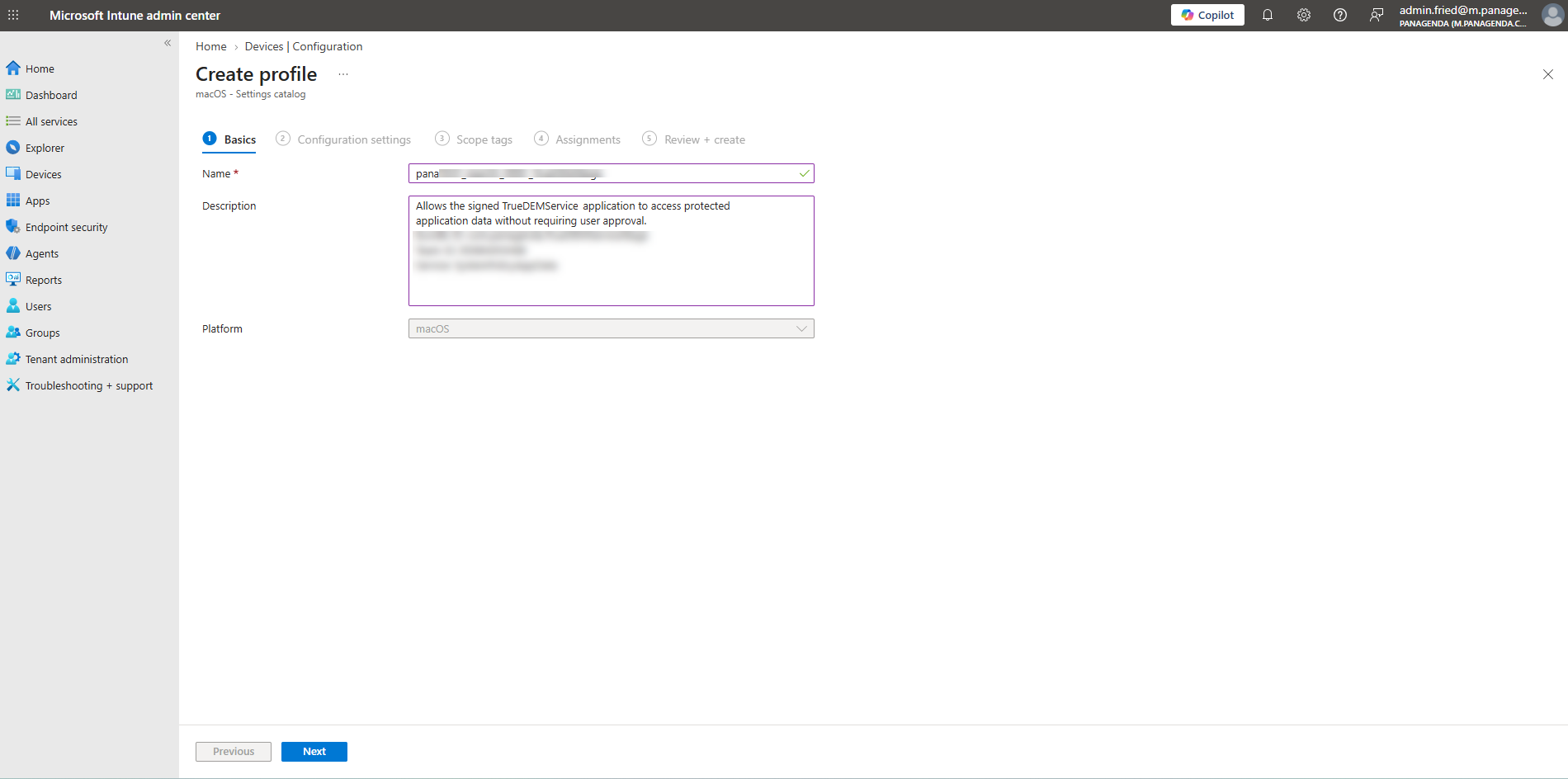
- Search for "Privacy Preferences Policy Control" and pick "System Policy App Data"
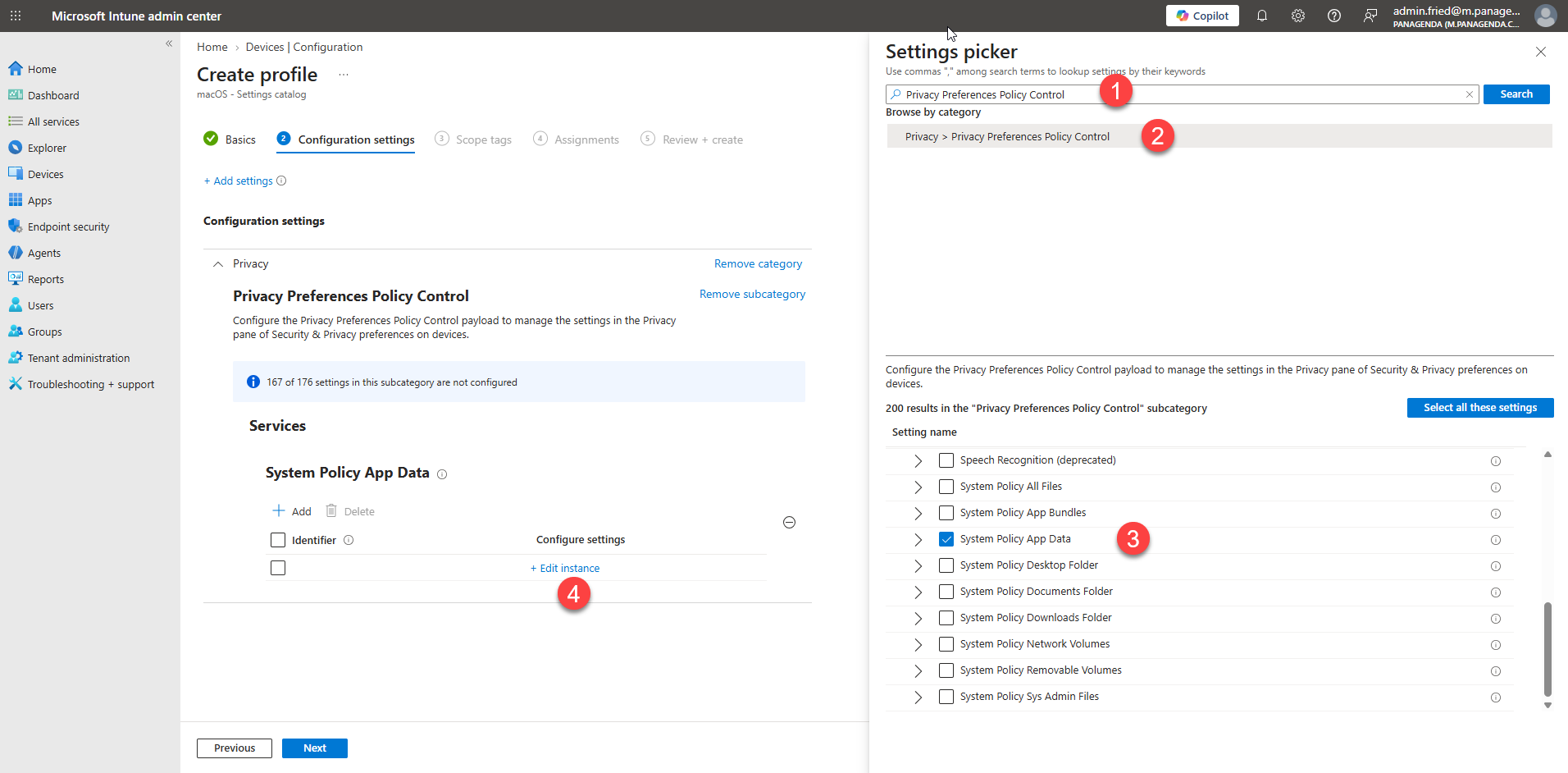
- Use the settings from above and hit Save
- Click Next and Assign it to your Users