
Page History
...
| Client | Plugin installation | MCP connection |
|---|---|---|
| Cowork (Claude desktop app) | Customize → Plugins | configuration file, through the helper tool mcp-remote (requires Node.js) |
| Claude Code | command line | command line |
| GitHub Copilot App | Settings → Plugins | Settings → MCP servers |
| GitHub Copilot CLI | command line | configuration file |
| OpenAI ChatGPT/Codex | Customize → Plugins | Settings → Plugins → MCPs, token in an environment variable |
| OpenAI Codex CLI | command line | configuration file, token in an environment variable |
Not supported: claude.ai Chat, and the Chat mode of the Claude desktop app. The Companion needs its plugin files next to its skill, and they are not available there. In the Claude desktop app, use Cowork or Code.
...
Note: create one token per machine or client, so that each can be revoked on its own. The clients store the token in plain text, in their configuration in plain text; treat these files or, for OpenAI ChatGPT/Codex, in an environment variable; treat it like a password and do not share themit.
Cowork and Claude Desktop
...
Ask an iDNA or Notes question in a new session. In a connected session, the "idna-wikilookup" skill loads and a "Get Idna Session" tool call succeeds.
OpenAI ChatGPT/Codex
Install the Plugin
| Code Block | ||
|---|---|---|
| ||
codex plugin marketplace add panagenda/idna-companion |
Then install "idna-companion" from the marketplace: type /plugins in the Codex terminal interface.
Connect to the MCP Server
Add the server to ~/.codex/config.toml:
| Code Block | ||
|---|---|---|
| ||
[mcp_servers.idna_applications]
url = "https://<your iDNA host>/mcp"
http_headers = { "Authorization" = "Bearer <your token>" } |
To keep the token out of the file, use This section describes the OpenAI desktop app. For the Codex command line, see OpenAI Codex CLI.
Install the Plugin
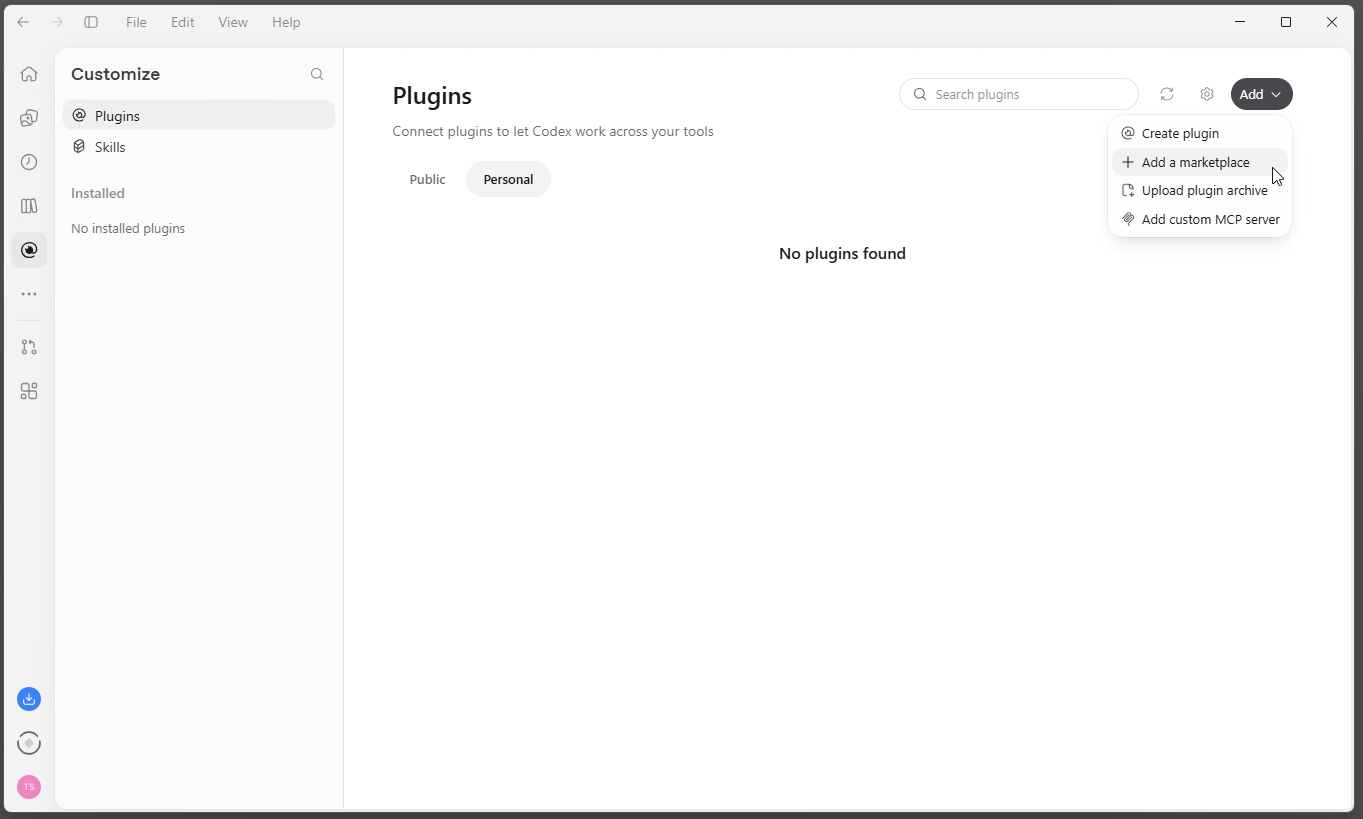
- Open [Customize] in the left bar, go to [Plugins] and select [Add ▾] → [Add a marketplace].
- Under Source, enter
https://github.com/panagenda/idna-companion. Leave Git ref and Sparse paths empty and click [Add marketplace].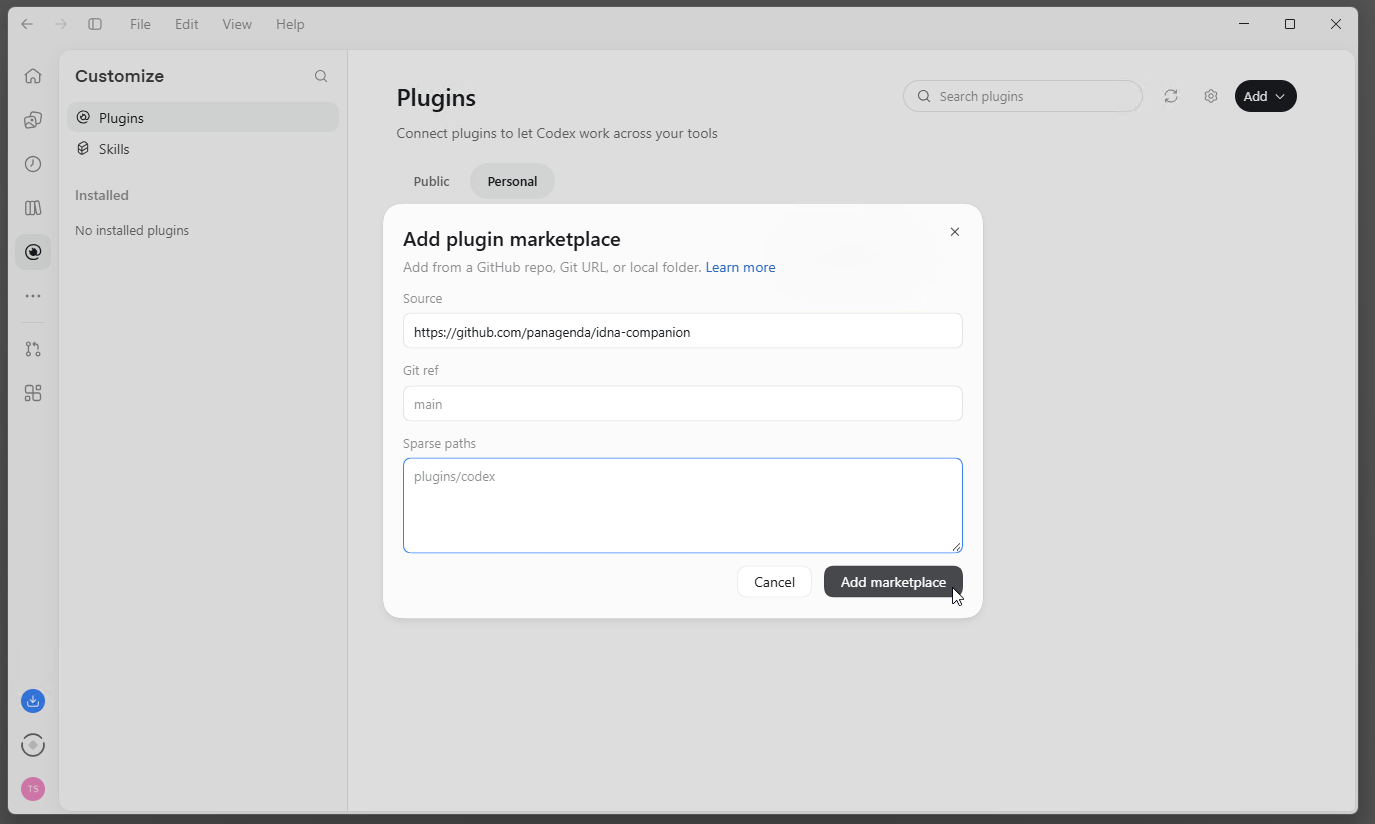
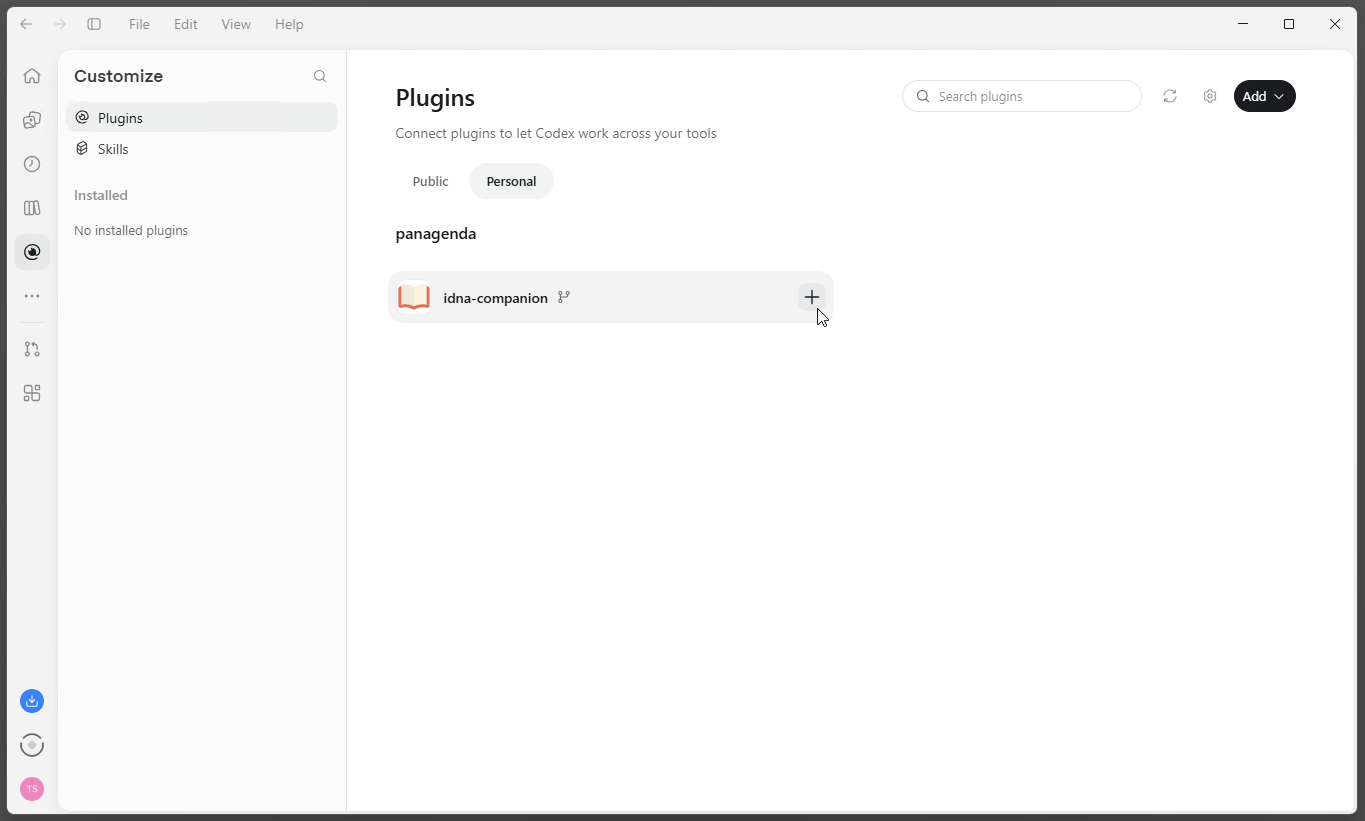
- In the [Personal] tab, the panagenda marketplace now lists idna-companion. Click [+] to install it.
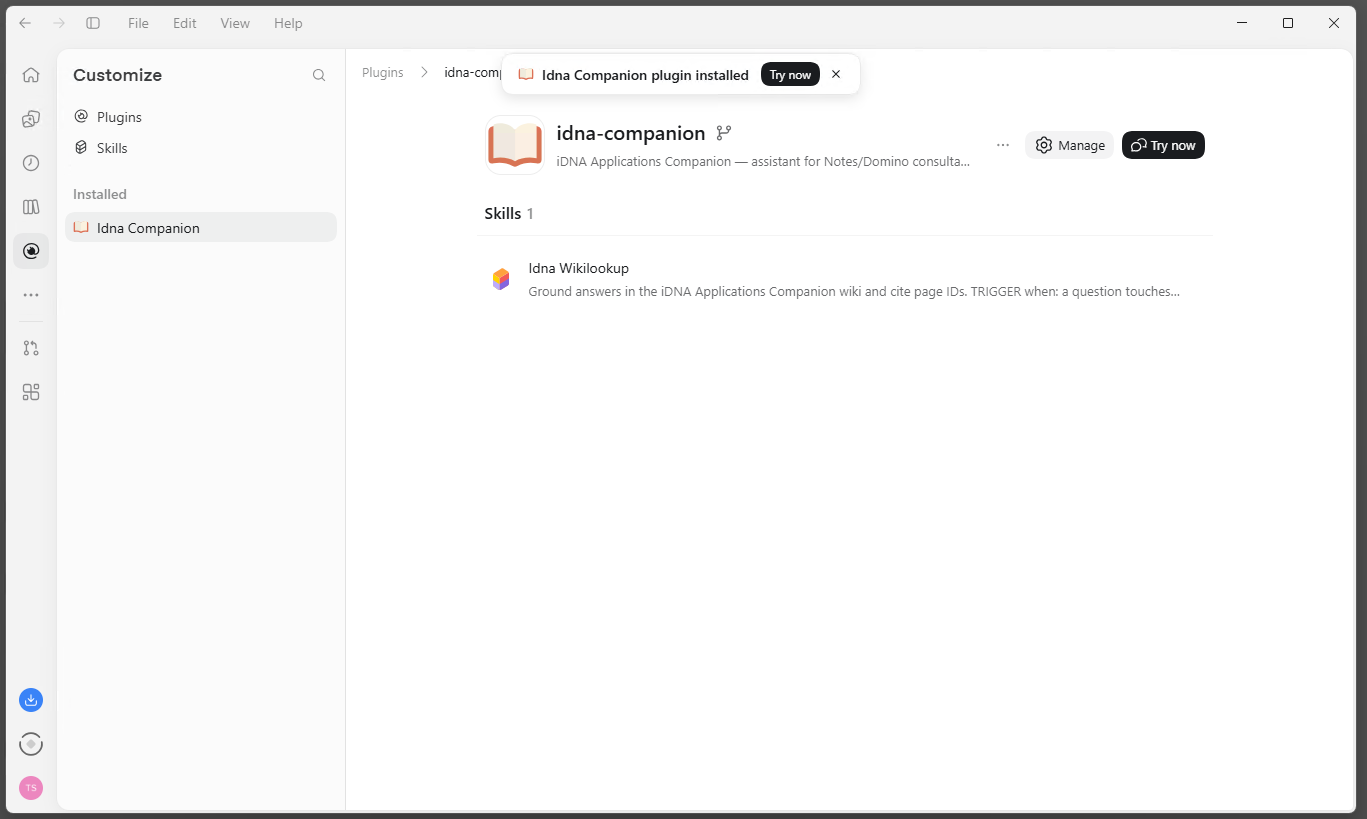
- The app confirms the installation, and the plugin's page lists the skill "Idna Wikilookup".
Connect to the MCP Server
The app reads your token from an environment variable, so the token is not stored in the app's configuration.
- Store your token in a user environment variable named
IDNA_MCP_TOKEN. On Windows: search the Start menu for "environment variables", open "Edit environment variables for your account", click [New...] under User variables, enterIDNA_MCP_TOKENas the name and your token as the value, and confirm with [OK]. - Quit the app and start it again. It reads environment variables only at startup.
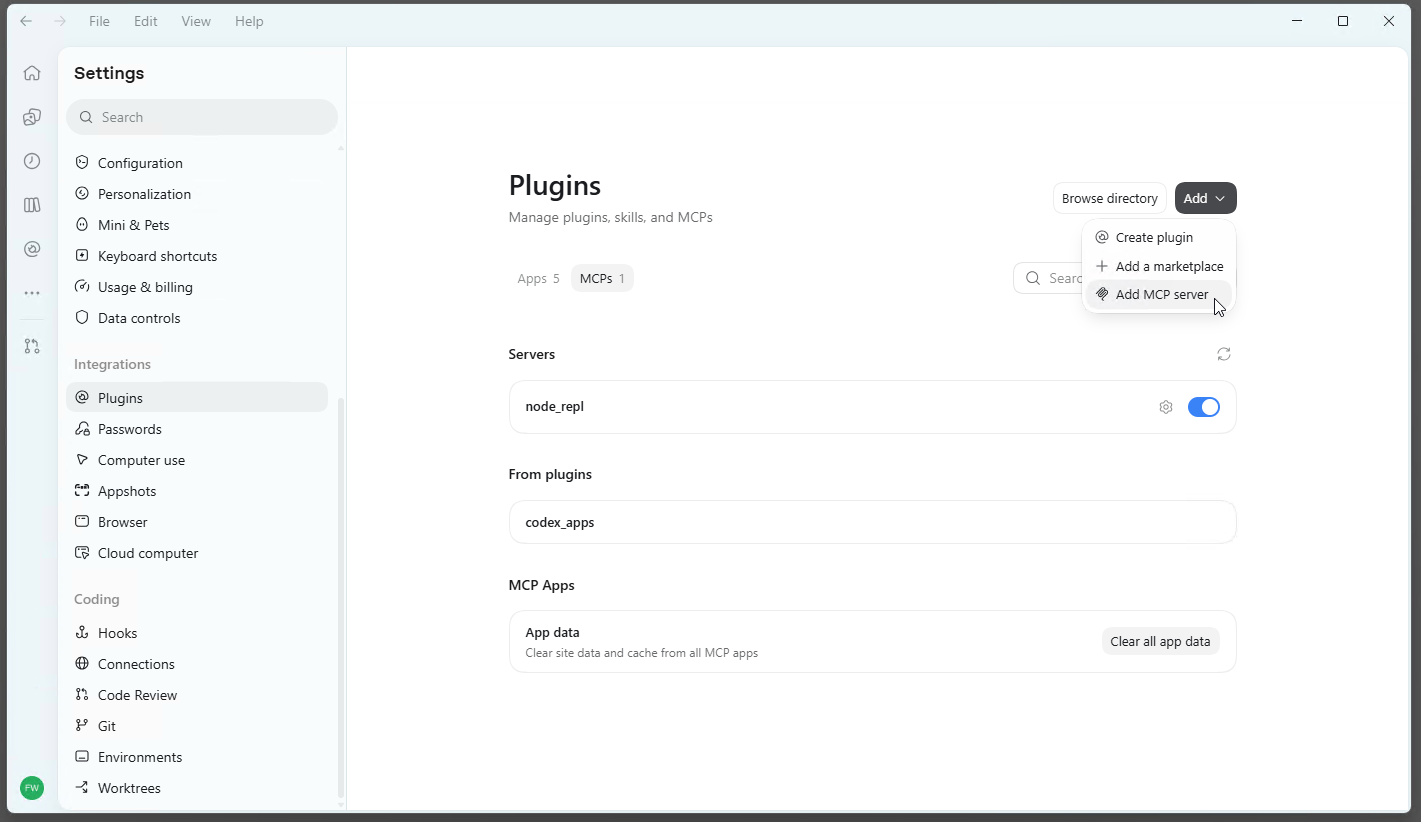
- Open the settings, select [Plugins] under Integrations and the [MCPs] tab, then select [Add ▾] → [Add MCP server].
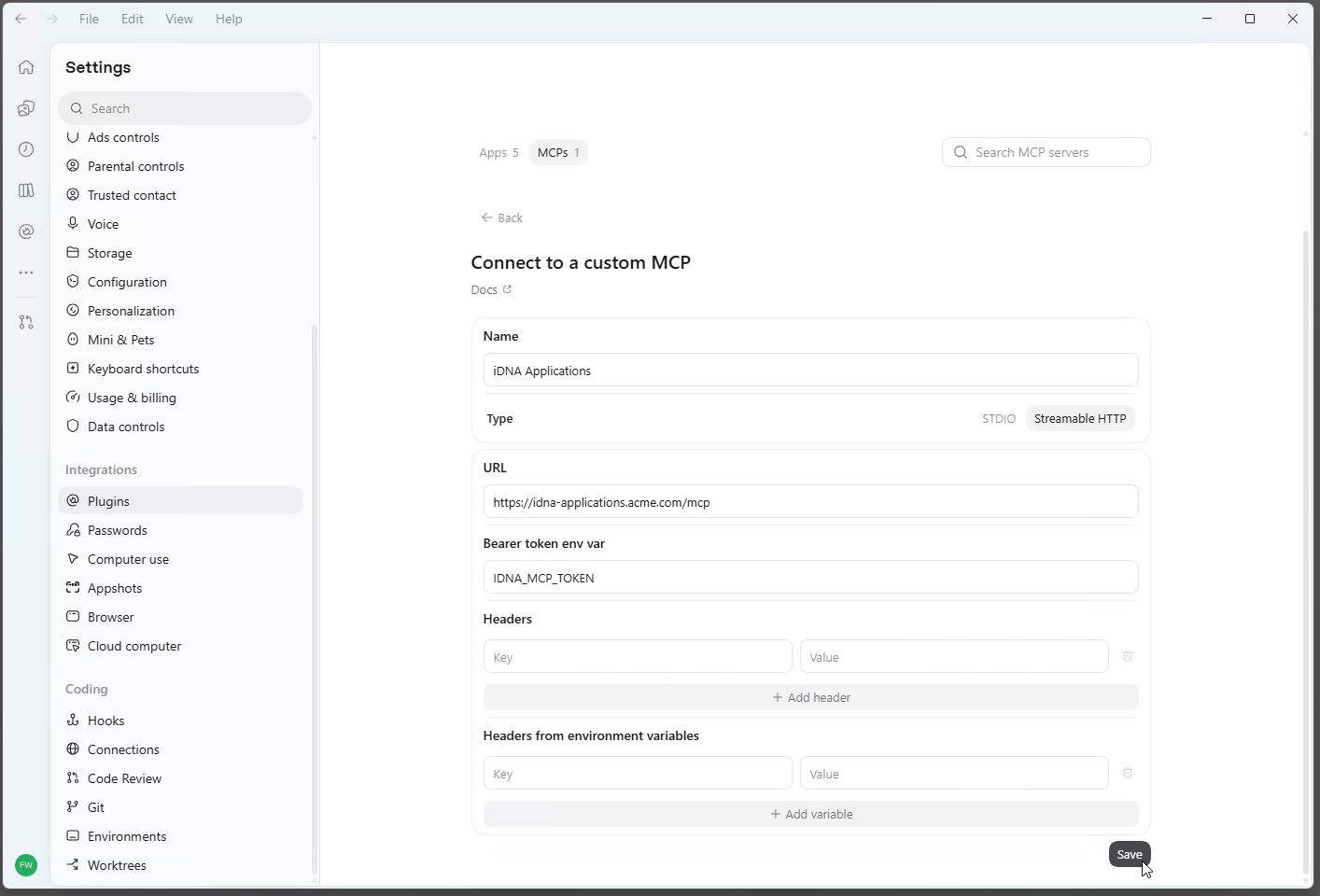
- Enter:
- Name:
iDNA Applications - Type: Streamable HTTP
- URL:
https://<your iDNA host>/mcp - Bearer token env var:
IDNA_MCP_TOKEN(the name of the variable, not the token)
- Name:
When you replace your token, update the variable and restart the app; the MCP server entry stays as it is.
Check the Connection
The MCPs tab lists "iDNA Applications" under Servers, switched on. Start a new chat and ask an iDNA or Notes question, for example "What are my most used Notes applications?". In a connected session, the "Idna Wikilookup" skill loads and a "Get Idna Session" tool call succeeds.
| Note | ||
|---|---|---|
| ||
OpenAI ChatGPT/Codex, Settings → Plugins → MCPs: "iDNA Applications" listed under Servers and switched on. |
OpenAI Codex CLI
Install the Plugin
| Code Block | ||
|---|---|---|
| ||
codex plugin marketplace add panagenda/idna-companion |
Then install "idna-companion" from the marketplace: type /plugins in the Codex terminal interface.
Connect to the MCP Server
Store your token in the user environment variable IDNA_MCP_TOKEN as described under OpenAI ChatGPT/Codex, then add the server to ~/.codex/config.toml:
| Code Block | ||
|---|---|---|
| ||
[mcp_servers.idna_applications] url = "https://<your iDNA host>/mcp" bearer_token_env_var = "IDNA_MCP_TOKEN" |
...
Open a new terminal afterwards, so that Codex sees the variable.
Check the Connection
Run codex mcp list, or type /mcp in the Codex terminal interface: "idna_applications" is listed.
...
In GitHub Copilot and OpenAI ChatGPT/Codex, you choose the AI model per session. How reliably the Companion follows its restricted-mode rules (which analysis paths it offers and explains) depends on the model: the most capable models follow them best, smaller models less reliably. Organizations that operate MCP in restricted mode should standardize on the strongest available model for Companion sessions. Access to the data itself is enforced by your iDNA appliance and does not depend on the model.
...
- The Companion says that live iDNA tools are unavailable and answers in restricted wiki mode. The session has no working MCP connection. Possible causes: the MCP entry is missing on this machine, the token has expired or was revoked, there is no network path to the appliance (VPN), or the client did not load the tools for this session (start a new session).
- The server is listed but fails to connect. Check that the address ends in
/mcpand that the token is still valid in [MCP Tokens]. An expired or revoked token is rejected; create a new one and update the client's configuration. - Claude desktop app: the server does not start. Check that Node.js and mcp-remote are installed (see above), and that Claude was exited completely before the configuration was edited. The logs are in
%APPDATA%\Claude\logs\(filesmcp*.log) on Windows; [Settings] → [Developer] also offers [View logs]session (start a new session). - The server is listed but fails to connect. Check that the address ends in
/mcpand that the token is still valid in [MCP Tokens]. An expired or revoked token is rejected; create a new one and update the client's configuration. - Claude desktop app: the server does not start. Check that Node.js and mcp-remote are installed (see above), and that Claude was exited completely before the configuration was edited. The logs are in
%APPDATA%\Claude\logs\(filesmcp*.log) on Windows; [Settings] → [Developer] also offers [View logs]. - OpenAI ChatGPT/Codex or Codex CLI: the server fails to connect after the token was set or replaced. The app and the CLI read
IDNA_MCP_TOKENonly when they start: restart the app or open a new terminal. Check that the name of the variable matches exactly. - GitHub Copilot App on Windows: uninstalling or updating fails with "access denied". The App installs plugin files read-only and can fail to remove them. Clear the flag in PowerShell, then retry:
Code Block language powershell attrib -R /S /D "$env:USERPROFILE\.copilot\installed-plugins\*"
Ending access: delete the token in [MCP Tokens] in the iDNA web interface and remove the "iDNA Applications" entry from the client's configuration (for OpenAI ChatGPT/Codex and Codex CLI, also the IDNA_MCP_TOKEN variable).