
Page History
...
| Client | Plugin installation | MCP connection | |
|---|---|---|---|
| Cowork (Claude desktop app) | Customize → Plugins | configuration file, through the helper tool mcp-remote (requires Node.js) | |
| Claude Code | command line | command line | |
| GitHub Copilot App | Settings → Plugins | Settings → MCP serversCustomize → Manage marketplaces, Add plugin | Customize → Add → MCP Server |
| GitHub Copilot CLI | command line | configuration file | |
| OpenAI ChatGPT/Codex | Customize → Plugins | Settings → Plugins → MCPs, token in an environment variable | |
| OpenAI Codex CLI | command line | configuration file, token in an environment variable |
...
GitHub Copilot App
Install the Plugin
- Go to Open [Settings] → [Plugins] → [Install Customize] in the left bar and select [+ Add ▾] → [Add marketplace] and Manage marketplaces...].
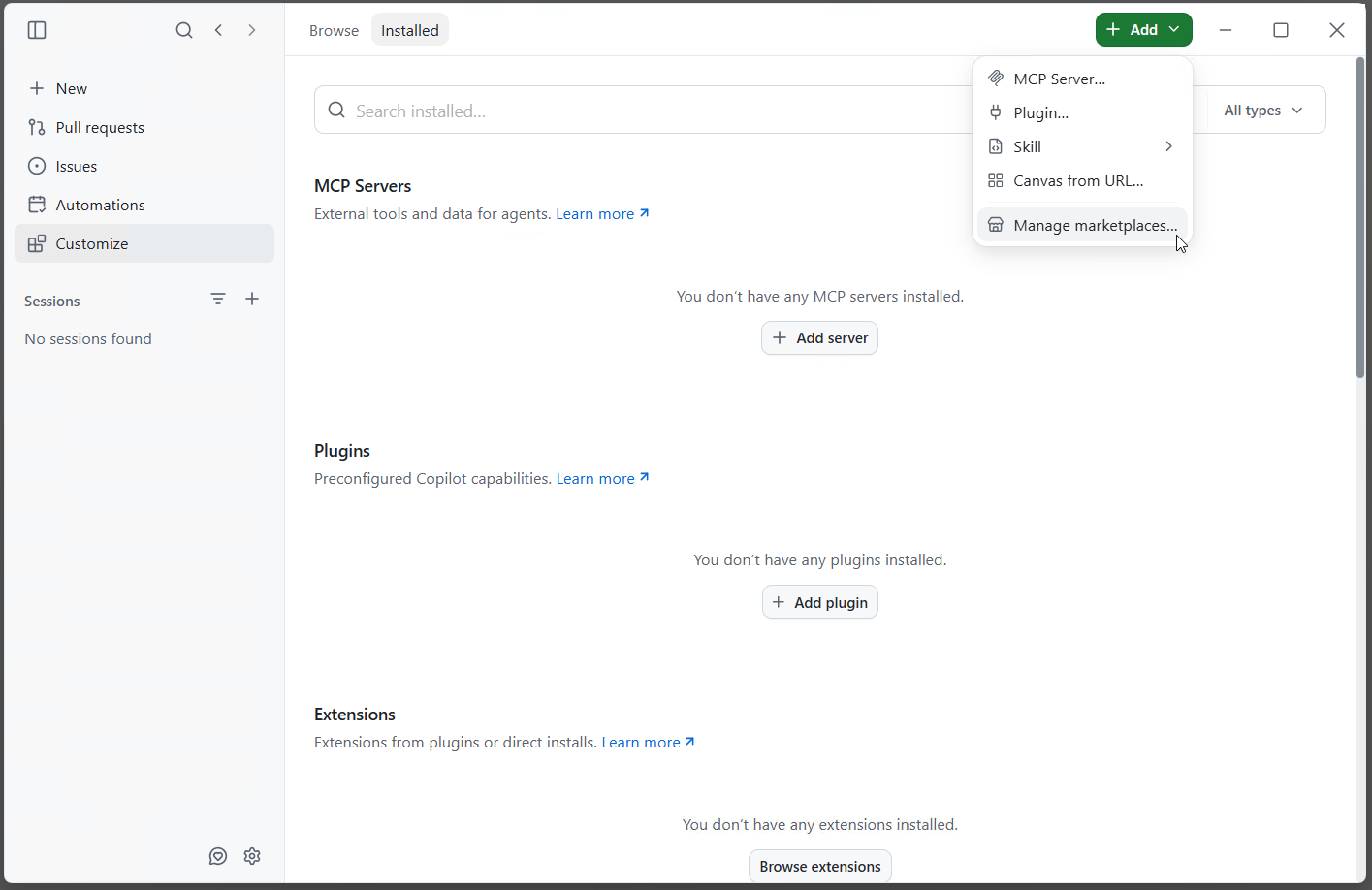
- Under Source, enter
https://github.com/panagenda/idna-companionand click [Add]. - Then select [Install ▾] → [Install plugin] →
idna-companion@panagenda. The plugin appears under "Installed".
...
| title | Screenshot needed |
|---|
...
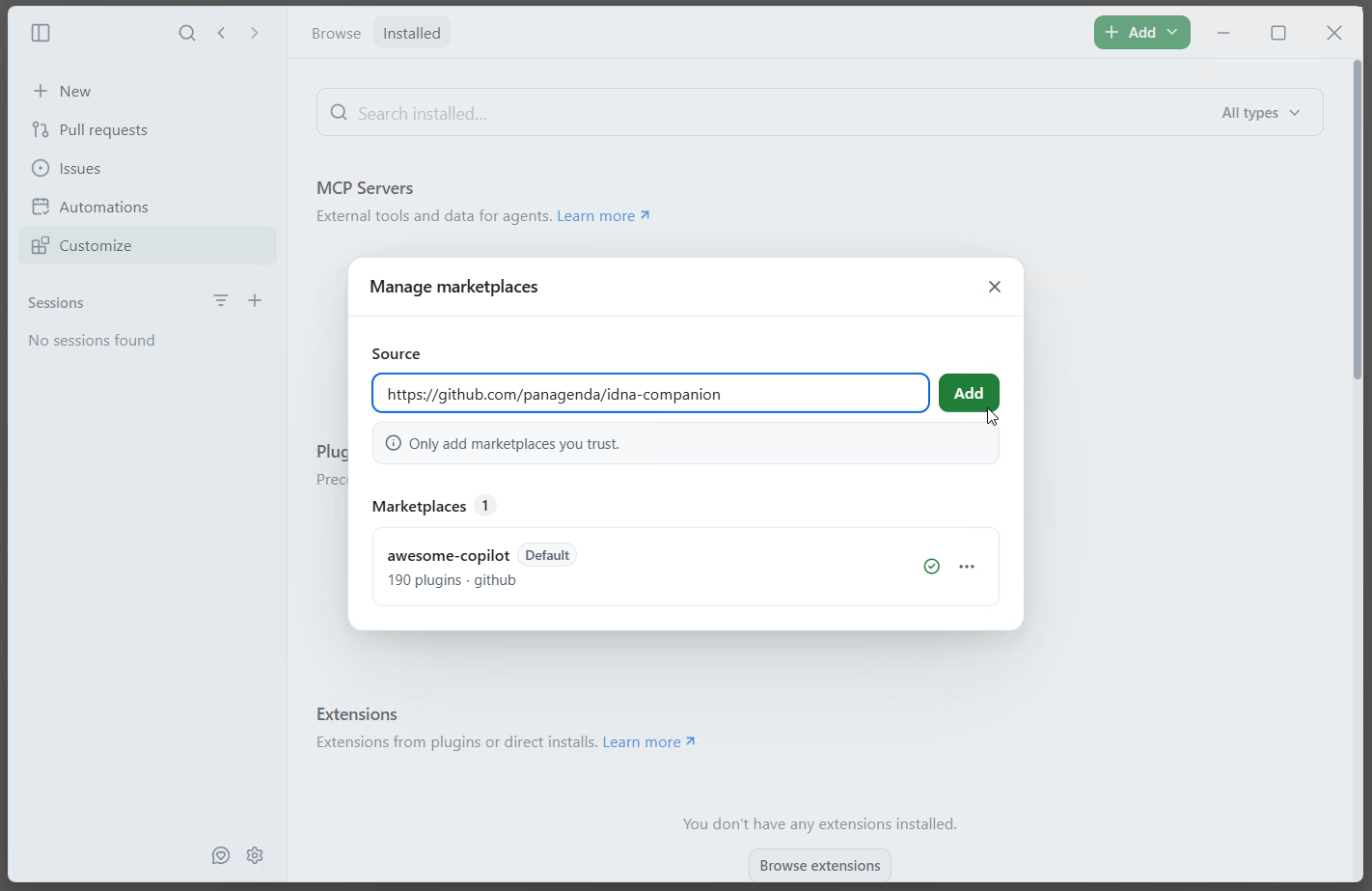
- The dialog confirms "Added panagenda marketplace" and lists the panagenda marketplace. Close the dialog.
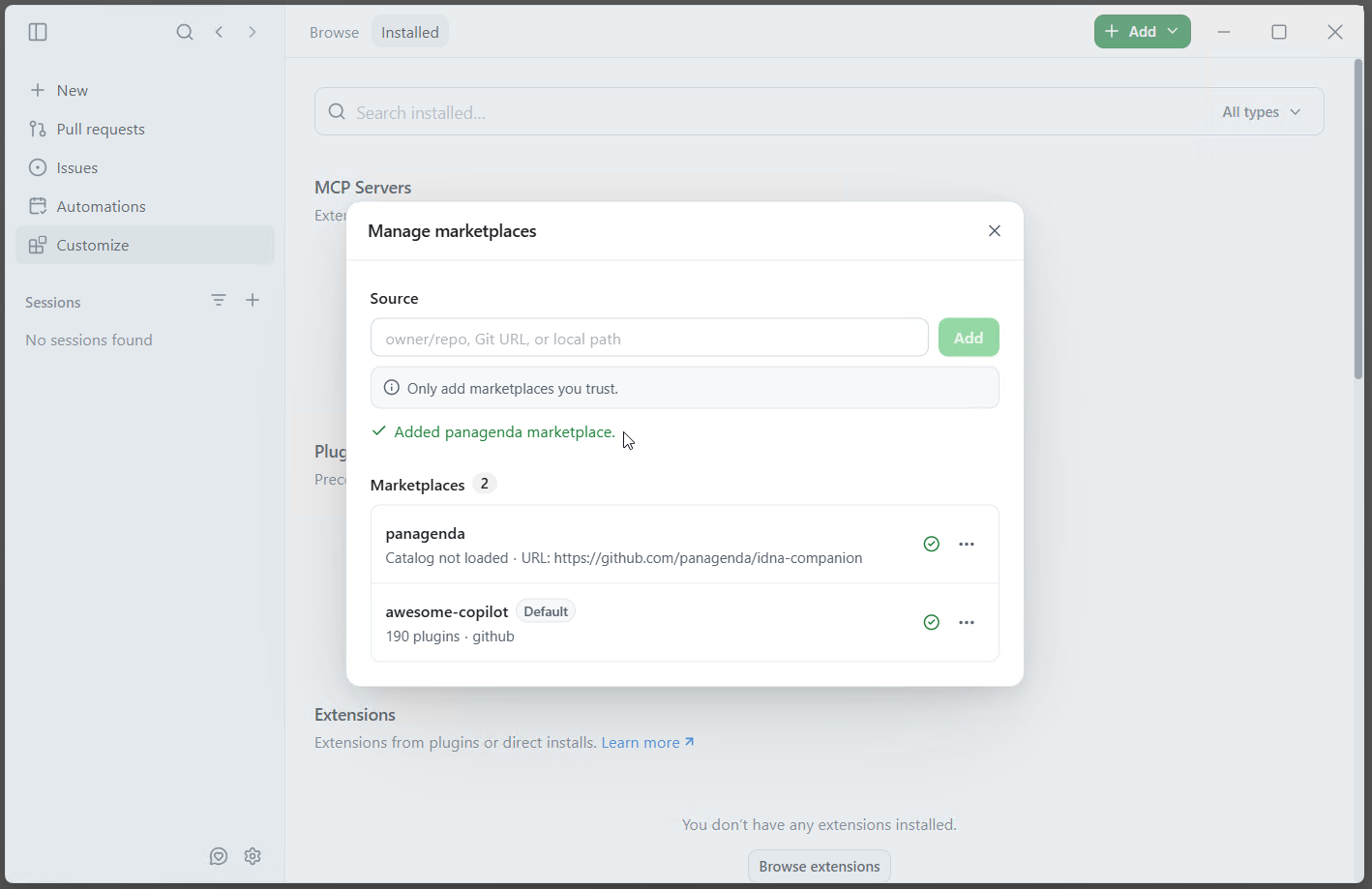
- Under Plugins, select [+ Add plugin] → [Browse all plugins].
- Search for
idnaand click [+ Install] next to idna-companion.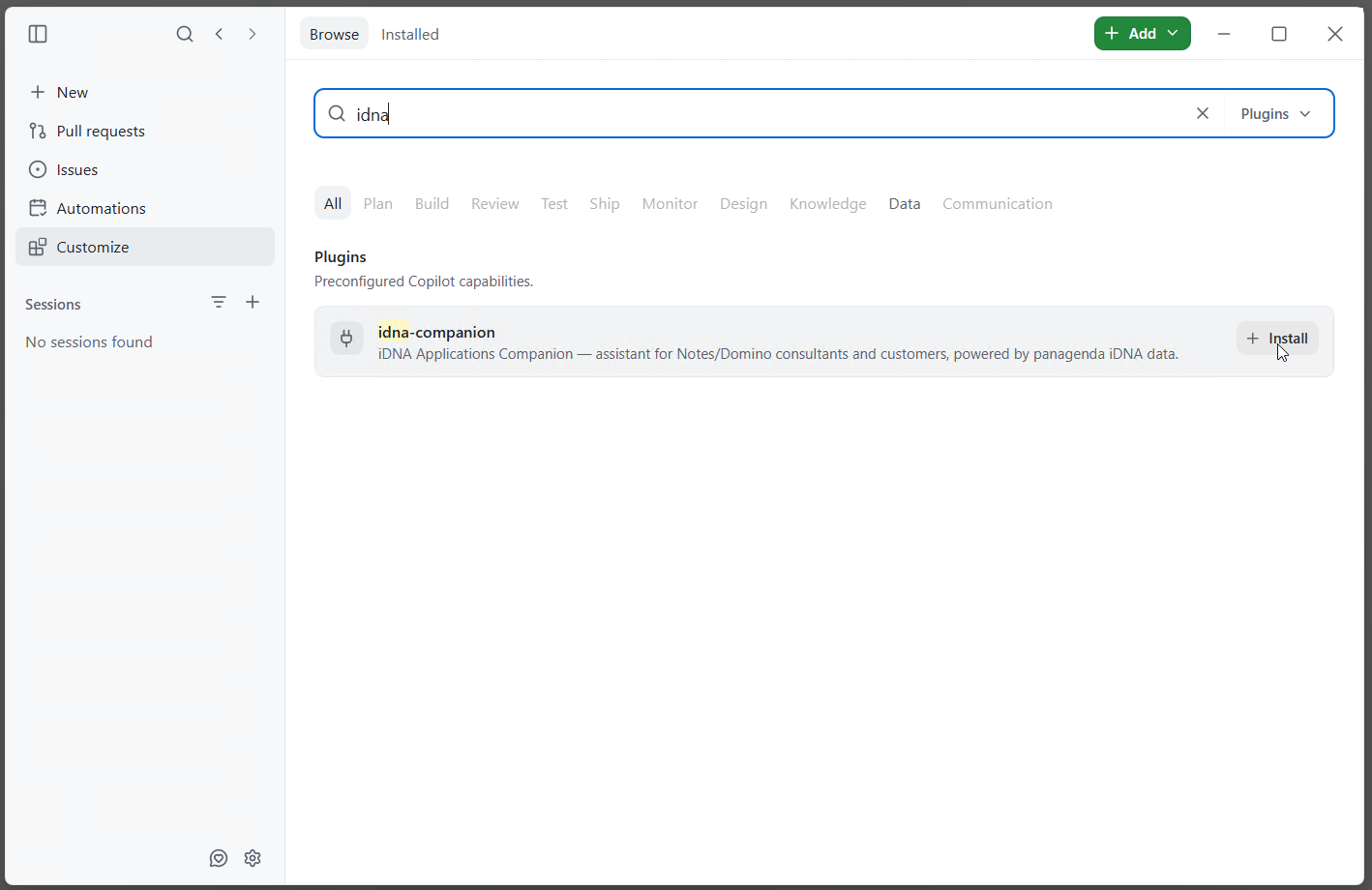
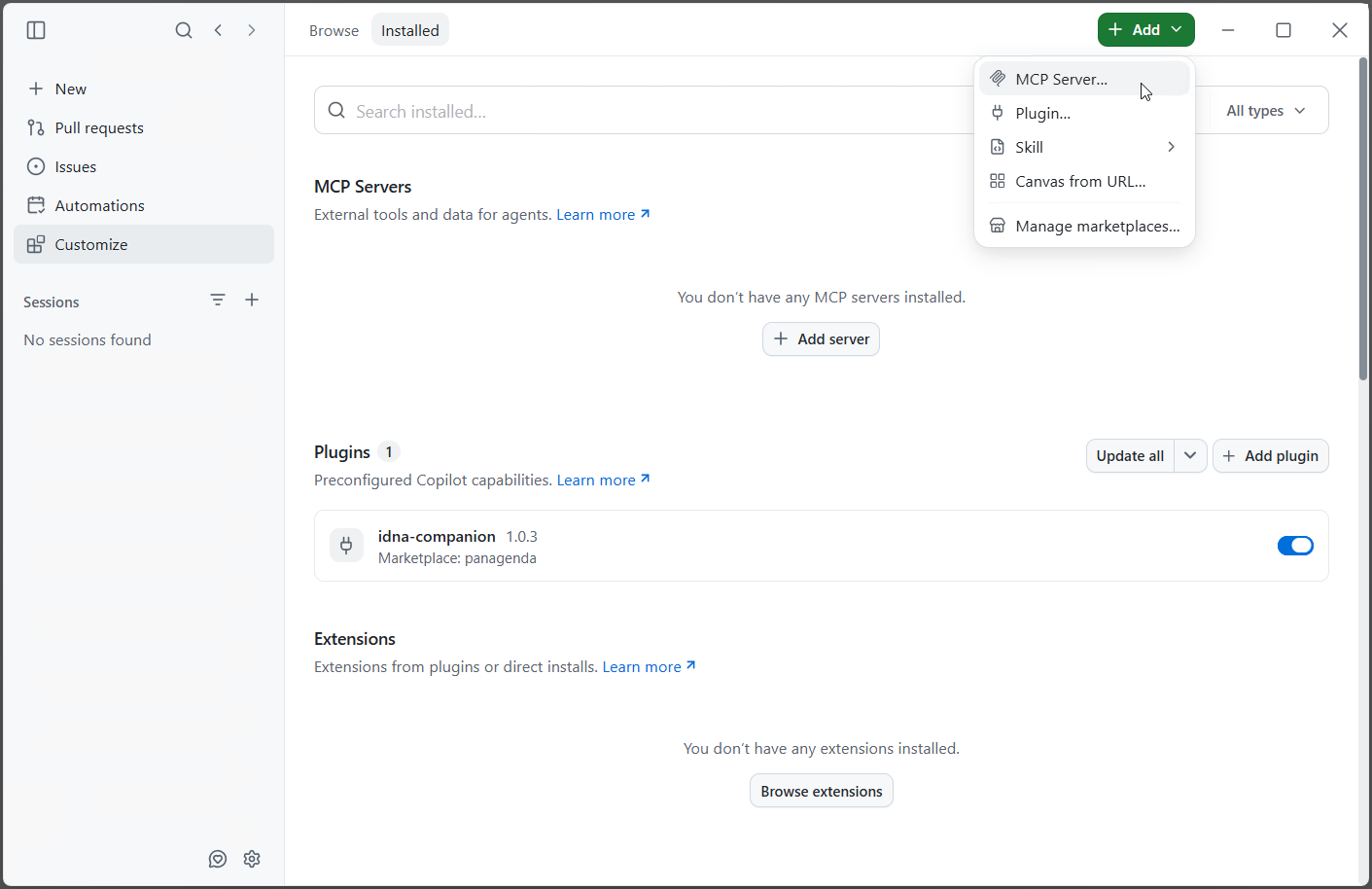
- Under [Installed], the plugin is now listed under Plugins with "Marketplace: panagenda", switched on.
Connect to the MCP Server
...
- In [Customize], select [+ Add ▾] → [MCP
...
- Server...] (see the previous screenshot), or click [+ Add server]
...
- under MCP Servers.
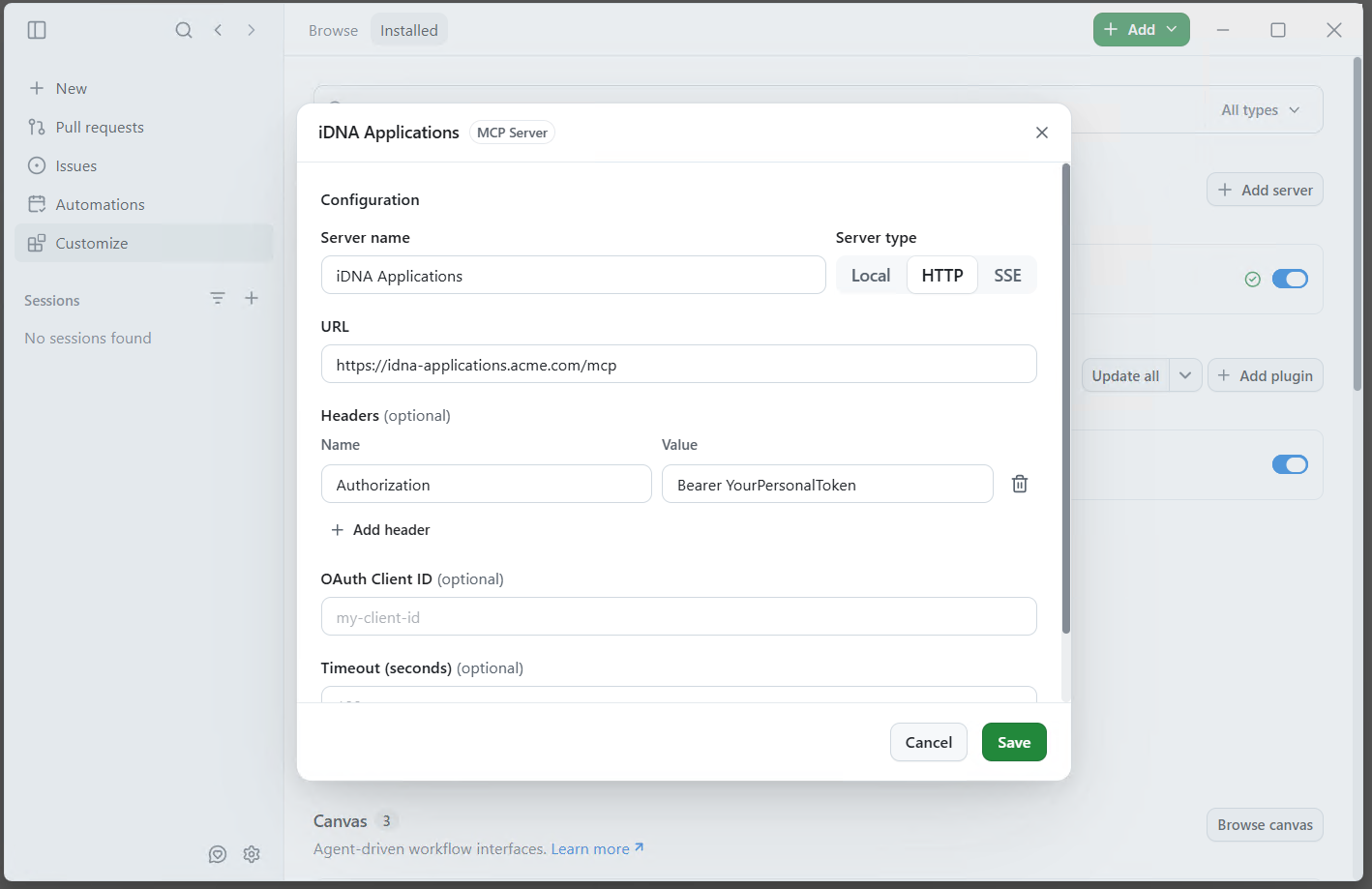
- Enter:
- Server name:
iDNA Applications
- Server name:
...
- Server type: HTTP
- URL:
https://<your iDNA host>/mcp - Headers
...
- : Name
Authorization
- : Name
...
- , Value
Bearer <your token>
- , Value
...
- OAuth Client ID
...
| Note | ||
|---|---|---|
| ||
GitHub Copilot App, the Add server dialog filled in as listed, with an example host and the token value blurred. |
...
- and Timeout empty, and click [Save].
Check the Connection
Under MCP Servers, "iDNA Applications" is listed with a green check mark and switched on.

Ask an iDNA or Notes question in any chat, for example "What are my most used Notes applications?". The Companion's skill activates on such questions automatically. In a connected session, the "idna-wikilookup" skill loads and a "Get Idna Session" tool call succeeds.
...
- On a machine that can reach GitHub, download the archive of a release:
https://github.com/panagenda/idna-companion/archive/refs/tags/v<version>.zip. - On the target machine, unzip it. This creates a folder
idna-companion-<version>. Copy that folder's contents into a fixed folder that stays in place, for exampleC:\panagenda\idna-companion-marketplace. The client may load the plugin from there, so do not delete or move it. - Register the fixed folder as a marketplace and install the plugin:
- GitHub Copilot App: [Add marketplaceManage marketplaces...] → the folder path as Source, then [Install pluginAdd plugin] → [Browse all plugins] → [Install] next to idna-companion@panagendacompanion.
- GitHub Copilot CLI:
copilot plugin marketplace add <folder>, thencopilot plugin install idna-companion@panagenda. - Claude Code:
claude plugin marketplace add <absolute folder path>, thenclaude plugin install idna-companion@panagenda.
...
- Cowork: the marketplace's [Update] action.
- Claude Code:
claude plugin marketplace update panagenda, thenclaude plugin update idna-companion@panagenda; restart the session to apply. - GitHub Copilot CLI:
copilot plugin marketplace update panagenda, thencopilot plugin update idna-companion@panagenda. - GitHub Copilot App and other : [Update all] next to Plugins in [Customize].
- Other clients: reinstall the plugin from the refreshed marketplace.
...