
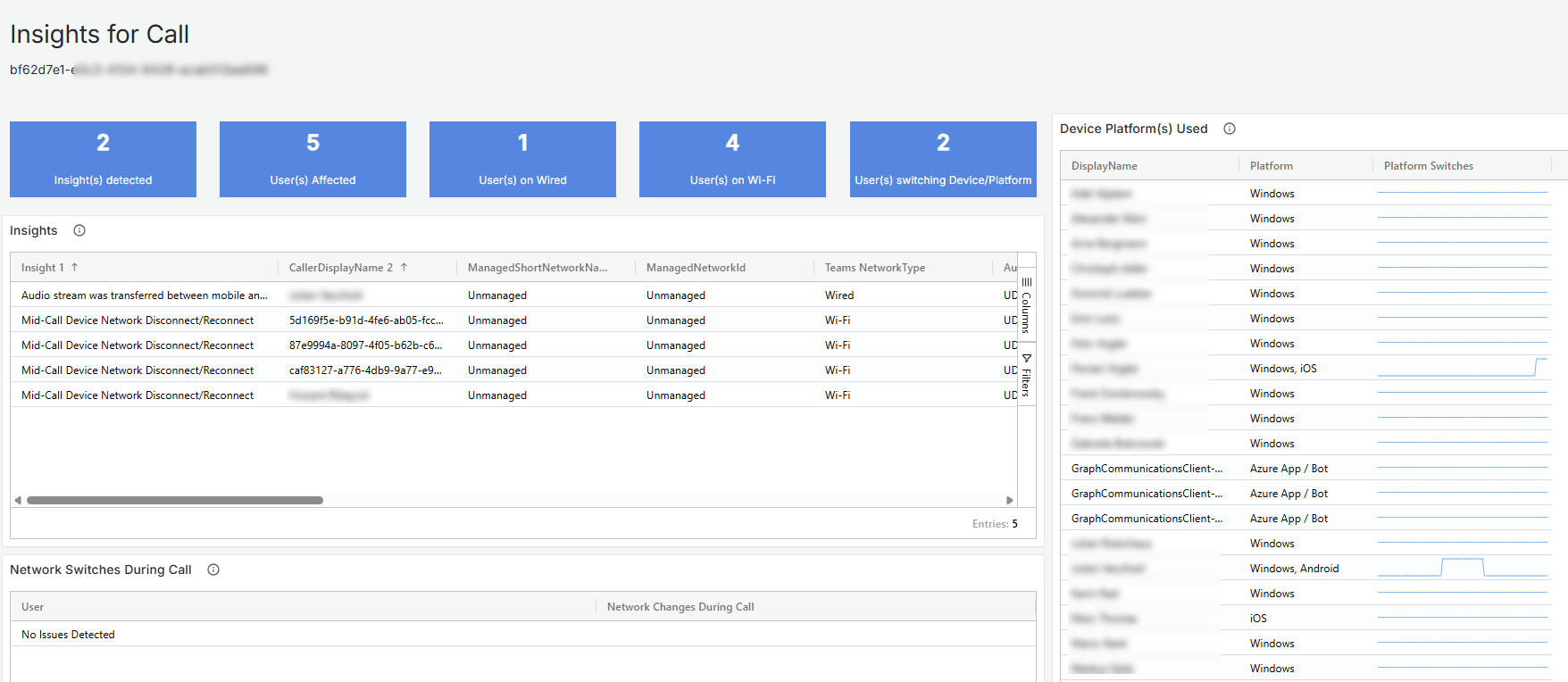
Call Insights enables customers to evaluate a call efficiently without reviewing all the various call metrics. The highlevel information is available on the Call Debug Level dashboard , indicated by the following panel
Clicking on the panel opens the Single Call Insights Dashboard.
Current list of possible Insights
| Insight Message | Details |
|---|---|
| Potential Firewall Port Exhaustion Detected | Conditions:
|
| Audio stream was transferred between mobile and desktop versions of Teams | |
| More than 5 BSSIDs were used | More than 5 different (distinct) Wi-Fi AccessPoints |
| TCP was used for Audio traffic | UDP is always recommended for performance, TCP is a fail back for unreliable connections or cases where UDP is blocked. |
| Non-default Audio Ports Detected | Audio should use the local ports of 50000-50019. Other ports could result in QoS policies failing to identify and prioritize the traffic. |
| User Experienced Mid-Call Failure(s) | As reported by teams client and/or call records |
| Mid-Call Network Disconnect/Reconnect | Windows OS detects a network change event during the call |
| Audio switched between wired and Wi-Fi In-Call | Teams Audio stream changes between Wi-FI and Wired connections during a call, and this change was not the result of a network change event |
| Multiple Audio Segments were used | More than 1 distinct audio segment AND no signs of previously listed network or teams issues. (disconnect, midcall failure, etc) |