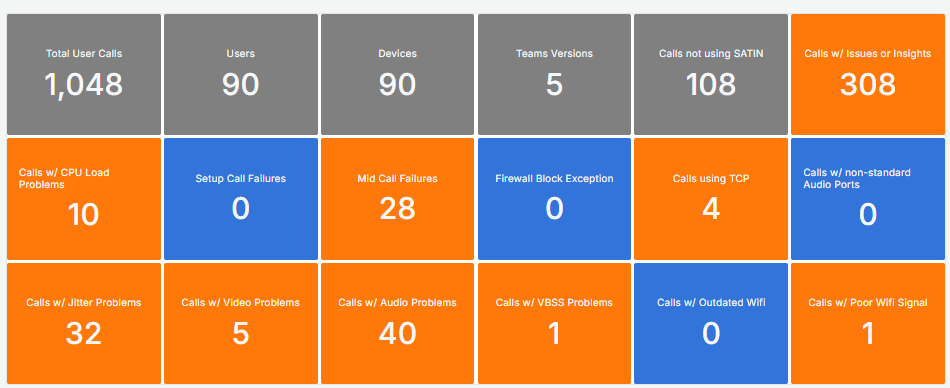
This dashboard provides a comprehensive overview of the selected managed network and serves as an initial point for further analysis.
Currently, its primary focus is on Teams calling elements, however, additional features will be incorporated over time.
It is important to note that call counts are based on established thresholds.
Audio Jitter > 30ms Audio Rtt > 200ms Audio Loss Rate > 5% Video Rtt > 200ms Video Loss Rate> 5% VBSS Loss Rate> 5% Memory > 90% Cpu > 90% Wi-Fi Signal < 70% |
Three key aspects to consider:
• Aggregated Figures from the selected time range
• Time range will be capped at 14d maximmum
• Numbers are counted as "User Calls"
KPIs
The KPI Grid gives an overview at a glance.
Tiles appear in grey for general information, blue if there are no issues, and orange when a user call matches a problem type.
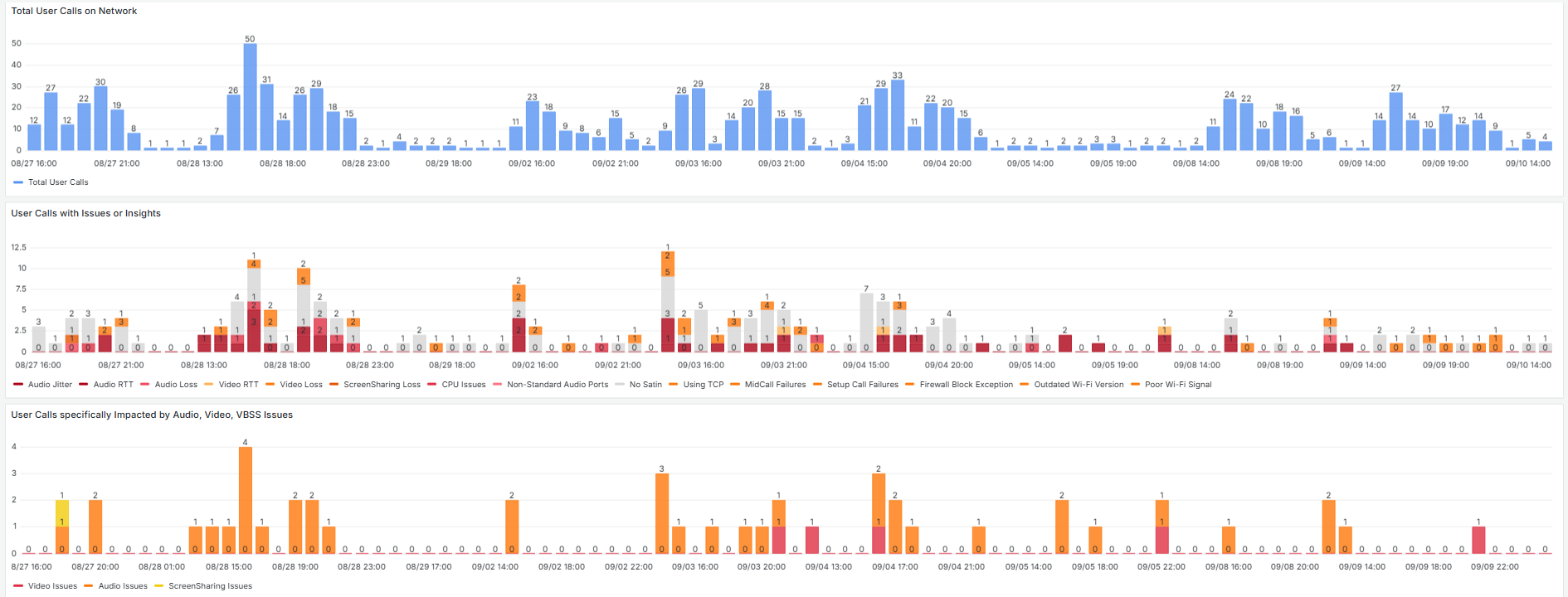
Timelines
There are three timelines in a sequence to quickly identify patterns.
Different Perspectives (Group by)
This section provides three different groupings based on the Numbers from above

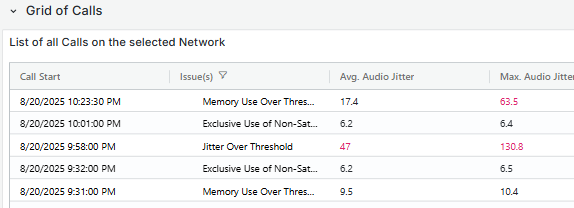
Grid of Calls
This grid displays call records made by individual users on the network, presenting key information for each entry. Selecting a row redirects to the Call Debug Page, where details about the Call can be accessed.
*With "User Call" we mean the unqiue combination of a user in a call. This means that if there is a single call with 4 users the number of user calls is 4. If a user leaves a call, and later returns into the still ongoing call, that is seen as 1 user call.