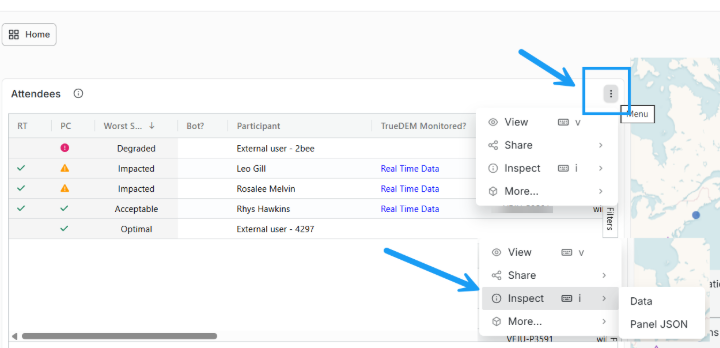
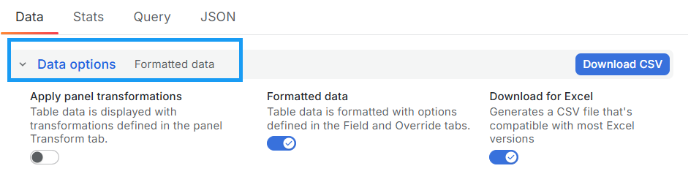
You can download the data behind any TrueDEM table. How you export depends on the table type:
Many TrueDEM dashboards let you export table data with a right-click. For example: User Experience, Teams Call List, M365 Service Health (Show all incidents), M365 Outage Analysis, Teams Versions Overview, and more. To Export Data:
1. Right-click on any cell in the table.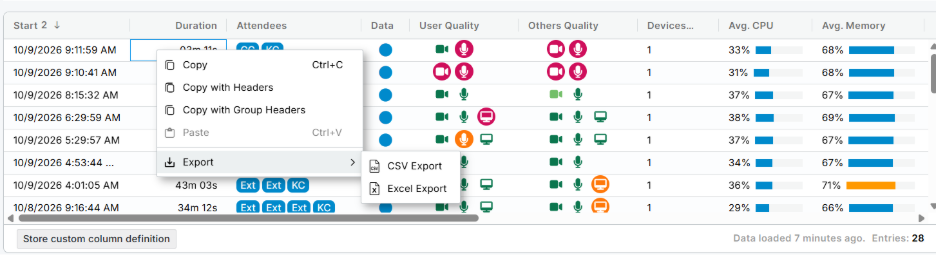
2. This will bring up the export option. Choose your data format to export the data for that dashboard. The choices are CSV and Excel.
3. Data constraints: All columns (hidden and visible) will be exported but the exported data will align to the set filters.