
The Modernization Session Work List is the worksheet of one work session (see Modernization Planning: Work Sessions): every code block the session deals with, what to do with it, where its fix is written, and where in which application the code sits. It answers the developer's question: what exactly do I fix in this session?
A code block is a piece of code that iDNA recognizes wherever it occurs: the same block in ten applications is one block with ten occurrences. That is why a fix only has to be written once and can then be reapplied wherever the block occurs.
The Work List exists in Metabase only. Open it from [App Lifecycle] → [Modernization Planning], tab [Work Session Overview]: click a session title, then [Open Work List] in one of its steps. The Work List opens in a new browser tab with the session preselected. If you have access to Metabase, you can also open it from the collection [App Lifecycle] there and choose the session in the [Session Details] filter.
One row per code block of the session:
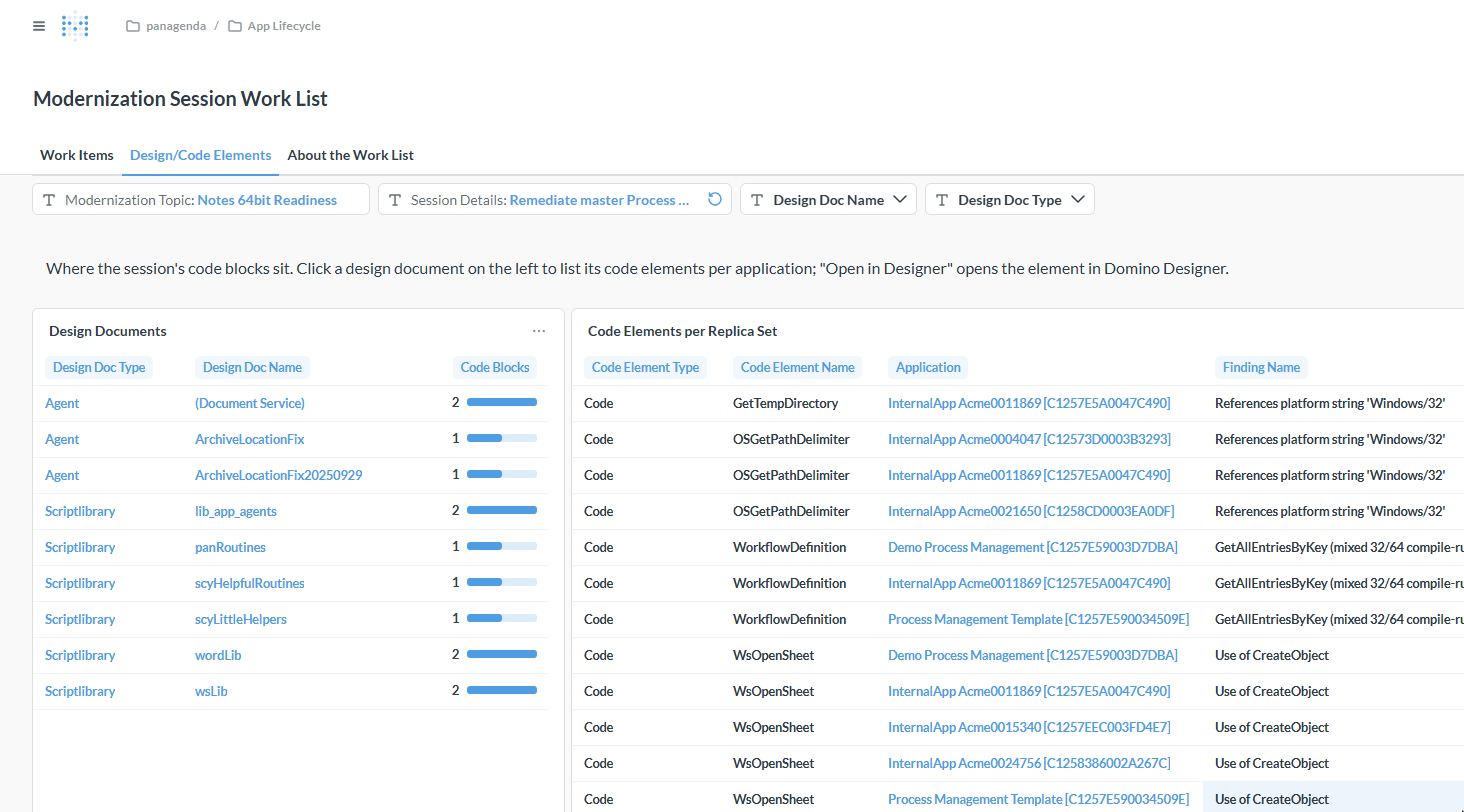
Where the session's code blocks sit. On the left, the design documents (agents, script libraries, forms, ...) with the number of blocks in each; click a name to list its code elements per application on the right. [Open in Designer] in the table on the right opens the element directly in Domino Designer.
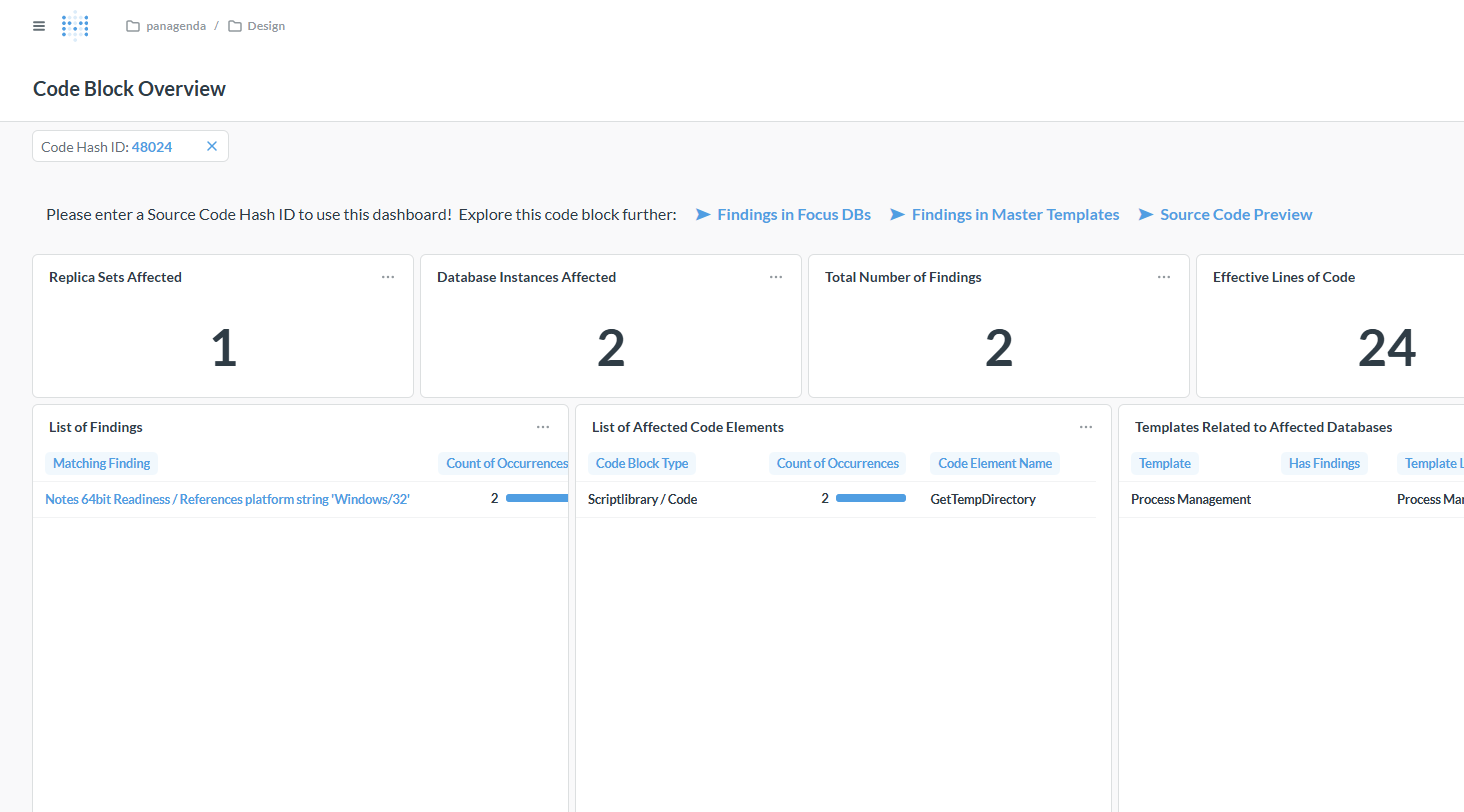
The drill-down from a work item shows one code block across your estate: how many applications and database instances carry it, the findings in it, the code elements it occurs in and the templates related to them. The link [Source Code Preview] shows the code itself.
iDNA's built-in explanation of every scope, action and column.
|
You can ask the iDNA Applications Companion about the code behind a work item and drill into a solution: "Show me the code of the block 'References platform string Windows/32' in script library lib_app_agents. Why is it flagged for Notes 64-bit, and how would we fix it?" The Companion reads the code from iDNA, explains the finding, suggests a fix and tells you where else the same block occurs, so you know where the fix has to be reapplied. You can keep asking follow-up questions about the code and the suggested change. See Setting up iDNA Applications Companion. |