
What Template Lineage Is
Many Notes estates grew by copying. Someone copied an HCL standard template, the mail template for example, changed a few things, and the copy became "our" master template. A copy no longer inherits from its original, so the link to the ancestor is lost. Years later, nobody knows exactly what was changed, and that is why nobody dares to touch the master.
Template Lineage recovers the lost link from design similarity. For one master template it answers the two questions to settle before the master is rebased or upgraded:
- What did we change back then? The code in the master's design documents compared with its ancestor: inherited unchanged, modified or added. Design changes that do not involve code are not part of this comparison.
- What survives the update? A verdict for every finding in the master: does the code disappear with the update, or does someone have to fix it?
This is the background of the routes Rebase Master Template and Upgrade Standard Template (see Modernization Vector: The Route to Ready): rather than fixing old copied code by hand, you move the master to the current HCL version, where most findings are already fixed, and re-apply only your own changes.
Where to Find It
Template Lineage exists in Metabase only. Open it from [App Lifecycle] → [Modernization Planning], tab [Work Session Overview]: click the title of a rebase session, then [Open Template Lineage] in its re-apply step. The dashboard opens in a new browser tab with the master preselected. If you have access to Metabase, you can also open it from the collection [App Lifecycle] there and choose the master in the [Template] filter.
How to Read It
Element Overview Tab
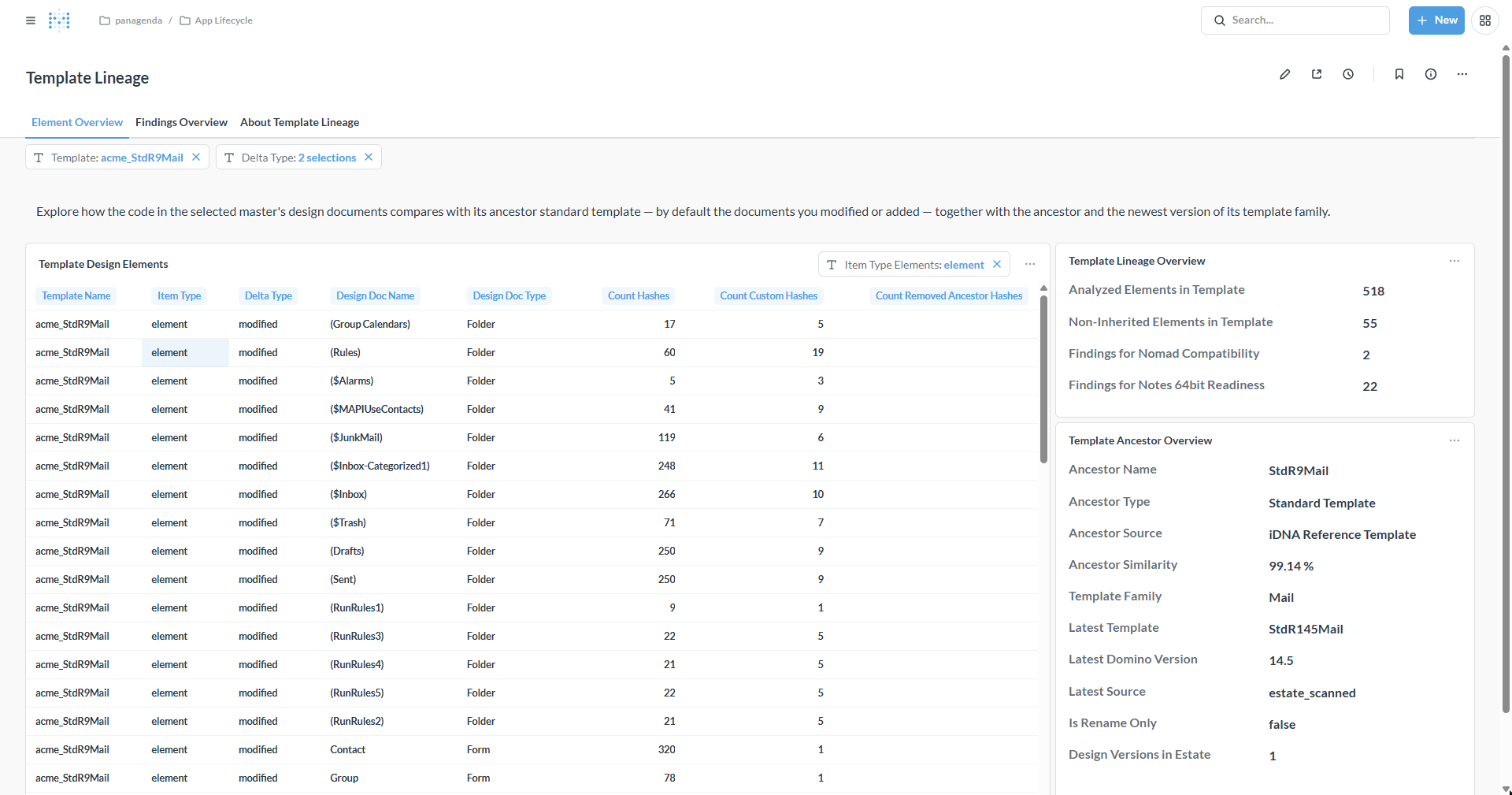
- Template Design Elements: one row per design document that carries code. [Delta Type] says whether its code is inherited unchanged from the ancestor, modified or added; by default the table shows your customizations (modified and added). [Count Custom Hashes] counts the code blocks that are not in the ancestor.
- Template Lineage Overview: how many design documents were analyzed, how many are not inherited, and the findings per modernization topic.
- Template Ancestor Overview: the ancestor and how similar the master still is to it, the template family and its newest version (the upgrade target), whether the master is only a renamed copy with identical code, and how many design versions of it run in your estate.
Findings Overview Tab
One row per finding and design document, with its verdict. Choose the topic in the [Modernization Topic] filter.
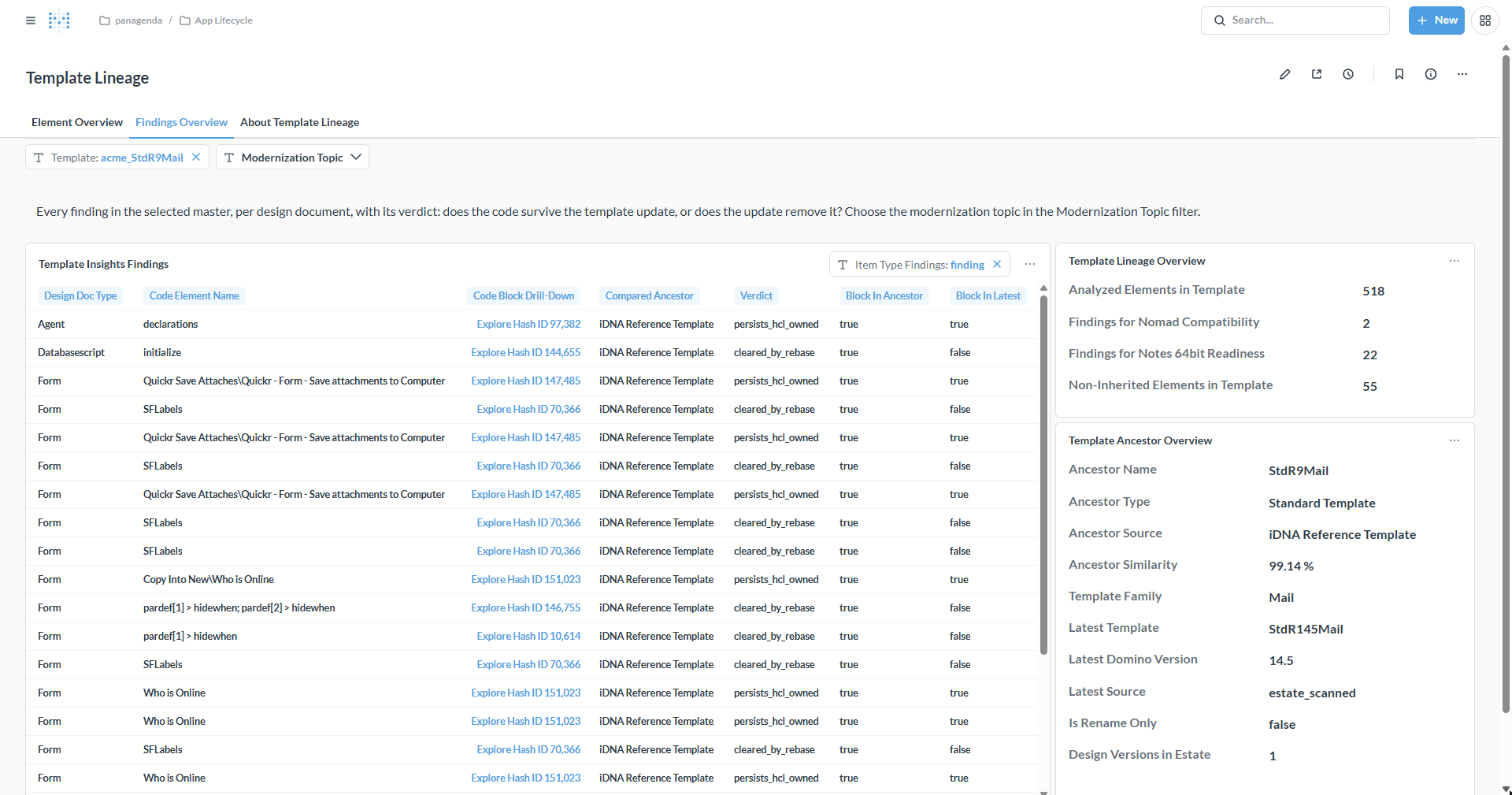
The verdicts in plain words:
- cleared_by_rebase, cleared_by_upgrade: the current HCL version no longer contains this code; the update removes it. No hand work.
- persists_hcl_owned: the code is still in the current HCL version. It is HCL's code, so there is no fix for you to write.
- custom_fix_required: your own code, not in the ancestor. It survives any update, and your developer fixes it.
- reapplied_with_element, inherited_latest_unknown: the code may come back when you re-apply your changes, or its fate is unknown. Check it after the update.
[Compared Ancestor] tells you how precise the comparison is: against a template that is scanned in your estate, iDNA compares design element by design element; against the HCL reference catalog bundled with iDNA (iDNA Reference Template), it compares code only, so added there means "all-custom code, possibly new or fully rewritten".
About Template Lineage Tab
iDNA's built-in explanation of every column, ancestor kind and verdict.
Good to Know
- Re-apply all your customizations after a design replace, including modified design documents without findings. A design replace can remove elements that exist only in your copy; the session steps include a check for exactly that reason.
- Never edit standard template code. Upgrade to the current HCL version instead: what it no longer contains disappears, and what it still contains is HCL's to maintain.
- The work itself happens in Domino Designer, outside iDNA.
|
The iDNA Applications Companion can summarize the lineage of a master for you: "What did we customize in acme_StdR9Mail, and which of its Notes 64-bit findings survive the rebase?" It gives you the counts first and then drills into the design documents or findings you are interested in. See Setting up iDNA Applications Companion.
|
Related Topics