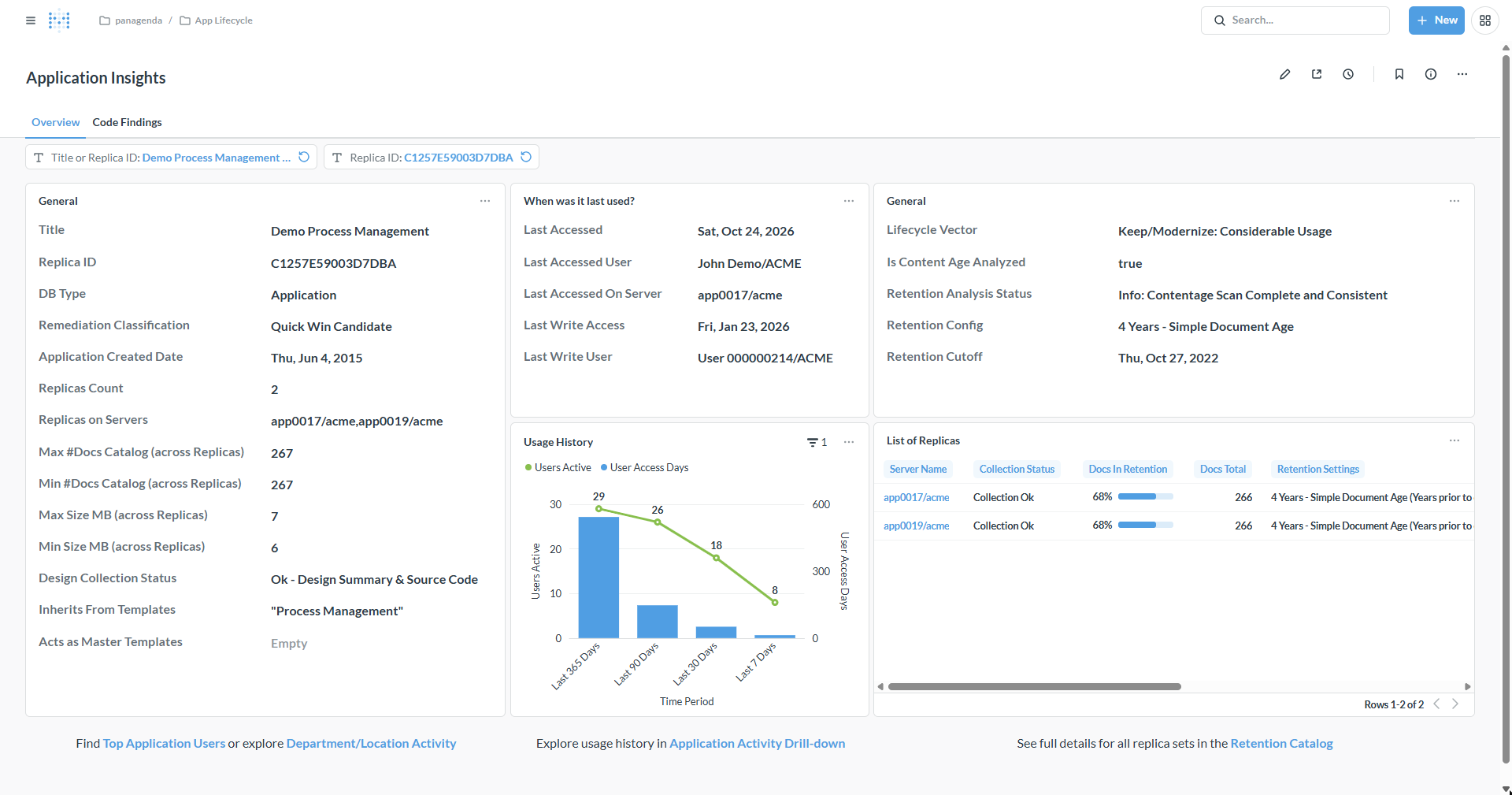
Application Insights shows one application (replica set) at a glance: what it is, when it was last used, how its usage developed, what its lifecycle vector says and, on a second tab, which code findings it carries. It is the place to go when a lifecycle or modernization dashboard raises a question about a single application.
Application Insights exists in Metabase only. It opens when you click an application's title or replica ID in a list, for example on the [Replica Set List] tab of Lifecycle Vector: Keep or Sunset or Modernization Vector: The Route to Ready, in the affected applications of a work session in Modernization Planning: Work Sessions, or in [Catalog] → [Replica Sets].
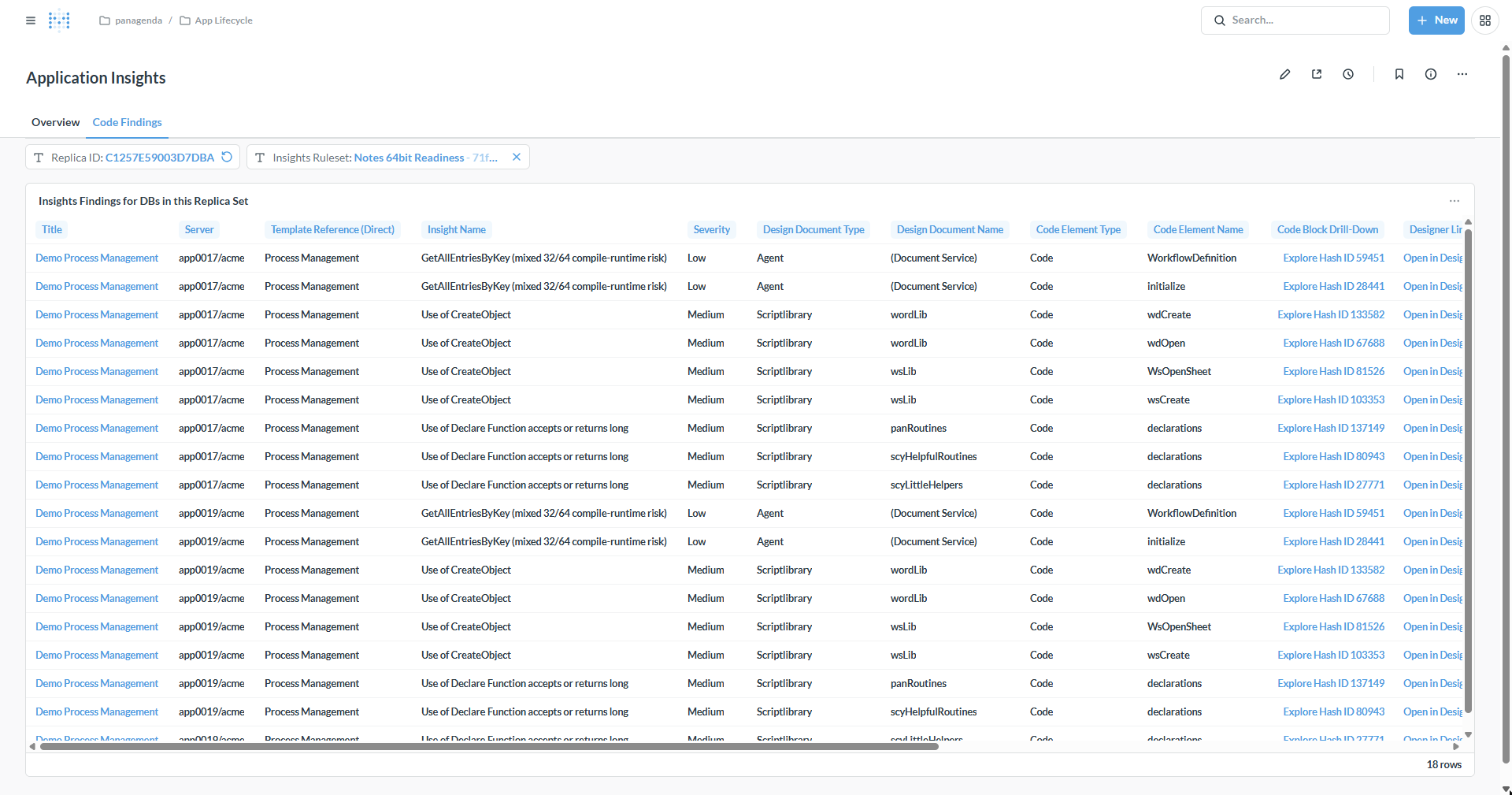
Every code finding in the application's databases for the selected [Insights Ruleset] (by default Notes 64-bit): server, template, finding and severity, the design document and code element, a drill-down to the code block and a link that opens the element in Domino Designer.
|
The [List of Replicas] card and the Code Findings tab use the [Replica ID] filter, not [Title or Replica ID]. If they show no results after you opened the dashboard from a link, enter the application's replica ID (shown under General) in [Replica ID]. |
|
Instead of collecting the facts about one application from several dashboards, you can ask the iDNA Applications Companion: "Tell me everything about Demo Process Management: is it still used, should we keep it, and what does it take to make it ready for Notes 64-bit?" The Companion combines usage, lifecycle vector, modernization route and findings into one answer. See Setting up the iDNA Applications Companion. |