
Page History
...
- Execute the command to launch the Network Manager Text User Interface: nmtui
(Navigate with cursor keys and the tab key and use Enter to confirm selections) - Select "Edit a Connection"
- Select "ens160"
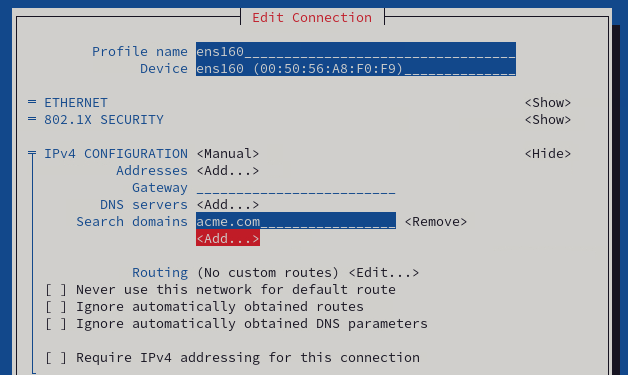
- You may have to select "Show" next to "IPv4 CONFIGURATION" in case its configuration options are hidden
- Under "Search domains" select "<Add...>" and add as many search domains as are useful in your environment
- Navigate down to "<OK>" to save and close the settings dialog
- A restart of the NetworkManager service or a reboot will be required to activate these changes
Host Name Configuration:
The host name of the appliance must be changed to reflect the DNS settings in the customer's environment. To do so, the files /etc/hostname and /etc/hosts must be edited. iDNA must be able to reach itself under the name it is accessed by users.
...
Edit this file using the commands nano or vim in a text-only terminal or gedit to open a graphical text editor (e.g. nano /etc/hostnamehosts).

| Note | ||
|---|---|---|
| ||
Changes in any area of networks settings requires a restart of the NetworkManager service or a reboot. We recommend rebooting the appliance after applying these three changes. |
...