Page History
...
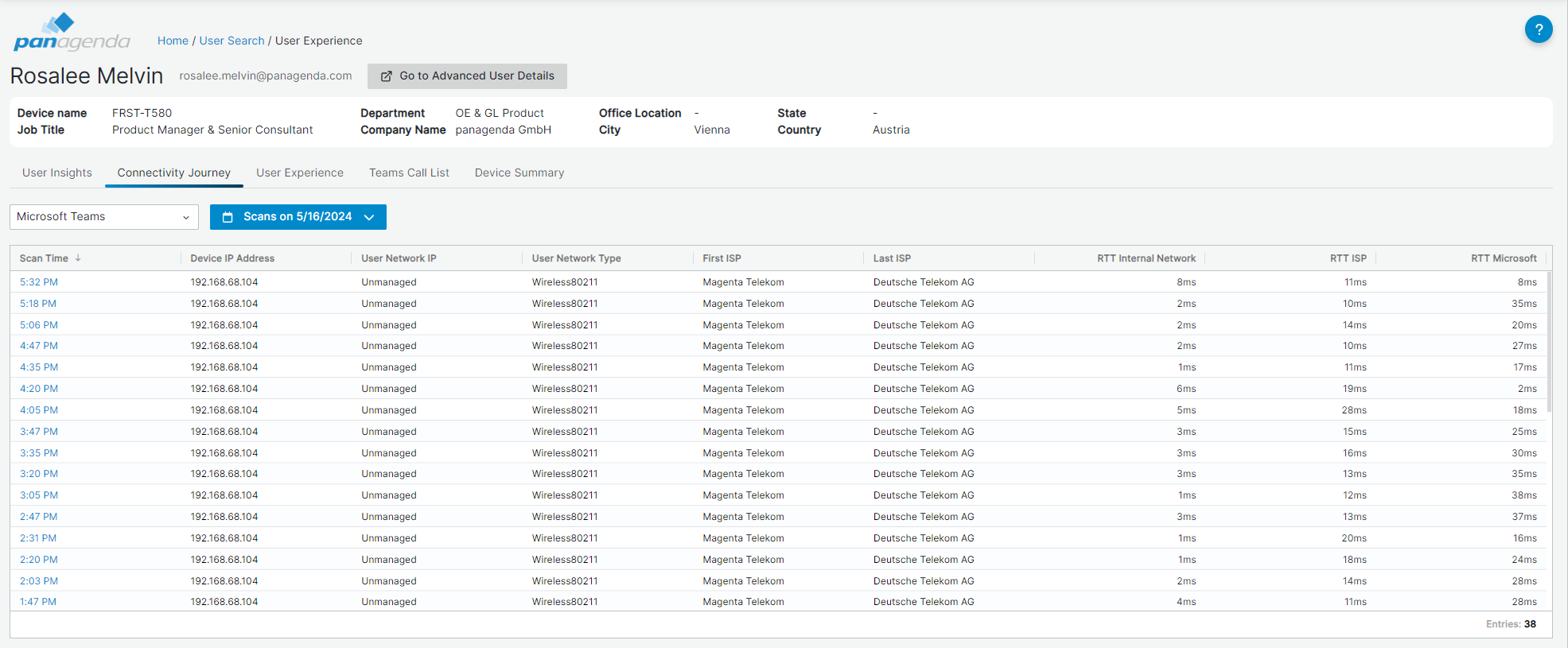
- Scan time: When the measurement was done.
- Device IP Address: The IP address that the End-User device used at that time.
- User Network IP: Shows a managed Network IP subnet or "Unmanaged" if the user was on an unmanaged network (e.g. HomeOffice).
- User Network Type: Shows either Ethernet or Wireless
- Teams Destination: Microsoft data center location the user was connecting with.
- First ISP: Which was the first ISP detected?
- Last ISP: Which was the last ISP detected before the data entered Microsoft?
- RTT columns: What was the time it took for data to go back and forth on the Internal Network vs, ISP vs Microsoft
Further Details
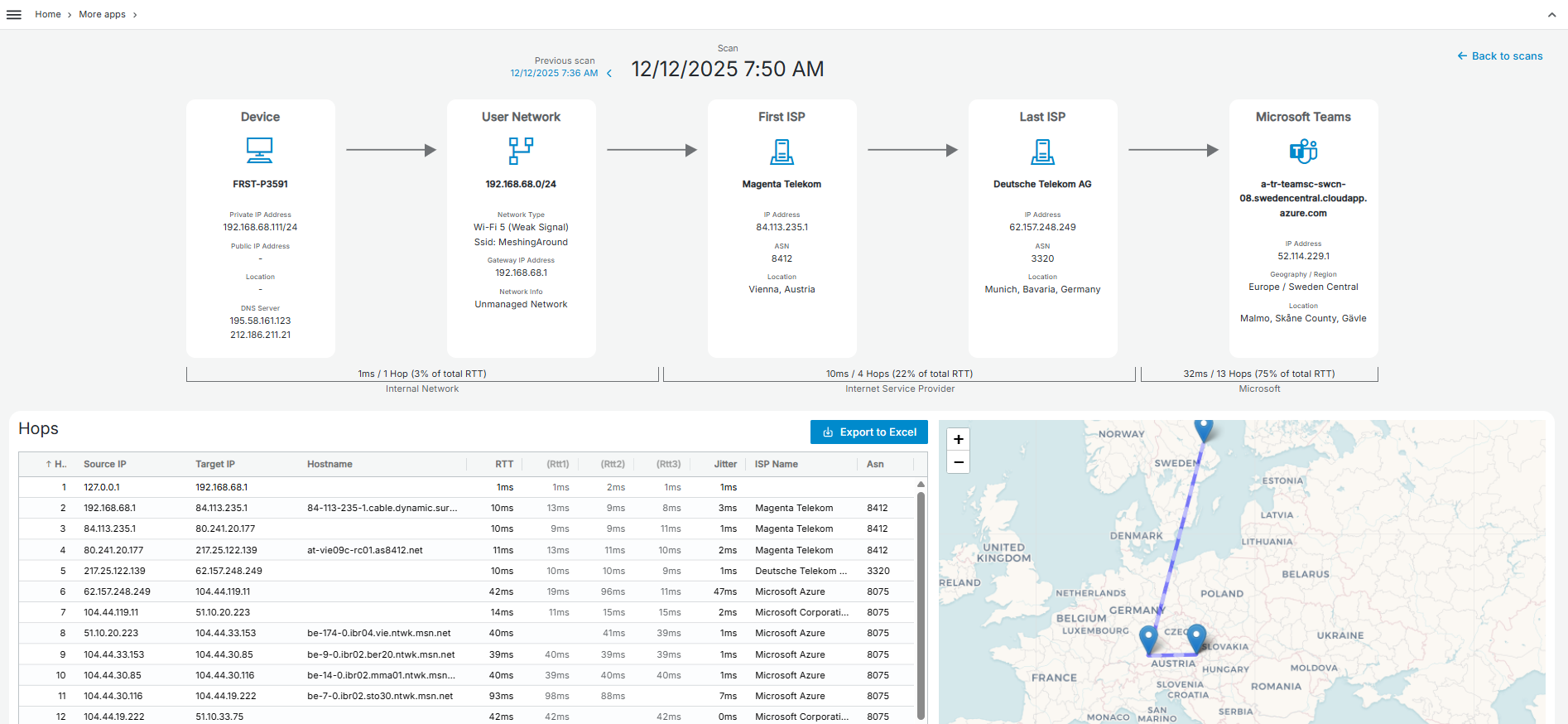
When you select an individual scan (by clicking on it), the subsequent page will show you further details in the form of a graphical overview of the journey and the time it takes to move through the three parts of the journey:
...
Below the graphical interface, a table shows each of the hops along the journey with details for each hop (RTT1,RTT2, and RTT3) and the jitter (Standard Deviation across the three RTT values for each hop) encountered on each hop.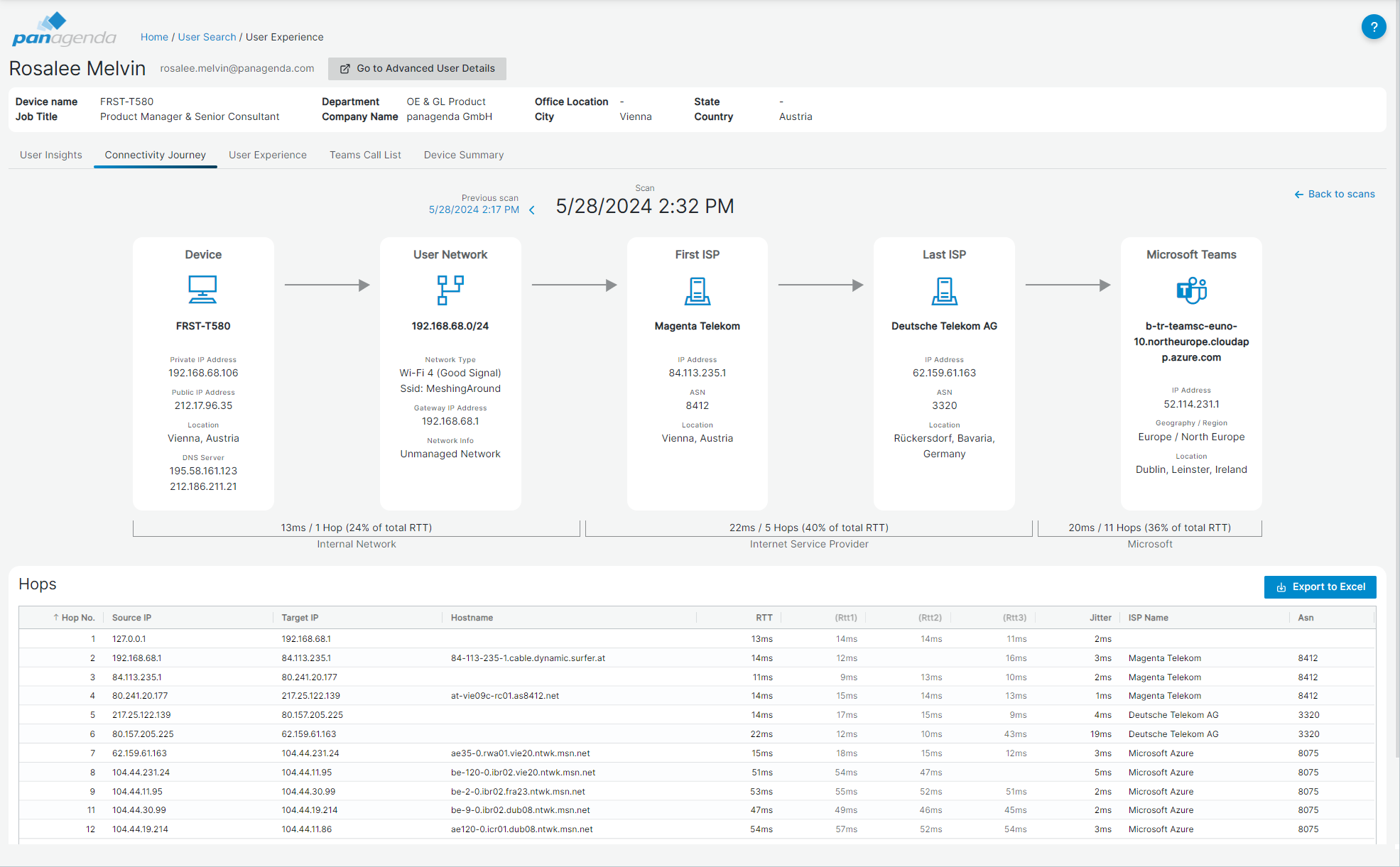
| Info |
|---|
Please note that the number of hops displayed in the graph may differ from the number reflected in the table. This discrepancy occurs because hops without responses are not represented in the table. |
Navigation
To go to another scan or to return to the scan table, use the buttons in the top of the tab.
...