
What It Is
Application Insights shows one application (replica set) at a glance: what it is, when it was last used, how its usage developed, what its lifecycle vector says and, on a second tab, which code findings it carries. It is the place to go when a lifecycle or modernization dashboard raises a question about a single application.
Where to Find It
Application Insights exists in Metabase only. It opens when you click an application's title or replica ID in a list, for example on the [Replica Set List] tab of Lifecycle Vector: Keep or Sunset or Modernization Vector: The Route to Ready, in the affected applications of a work session in Modernization Planning: Work Sessions, or in [Catalog] → [Replica Sets].
How to Read It
Overview Tab
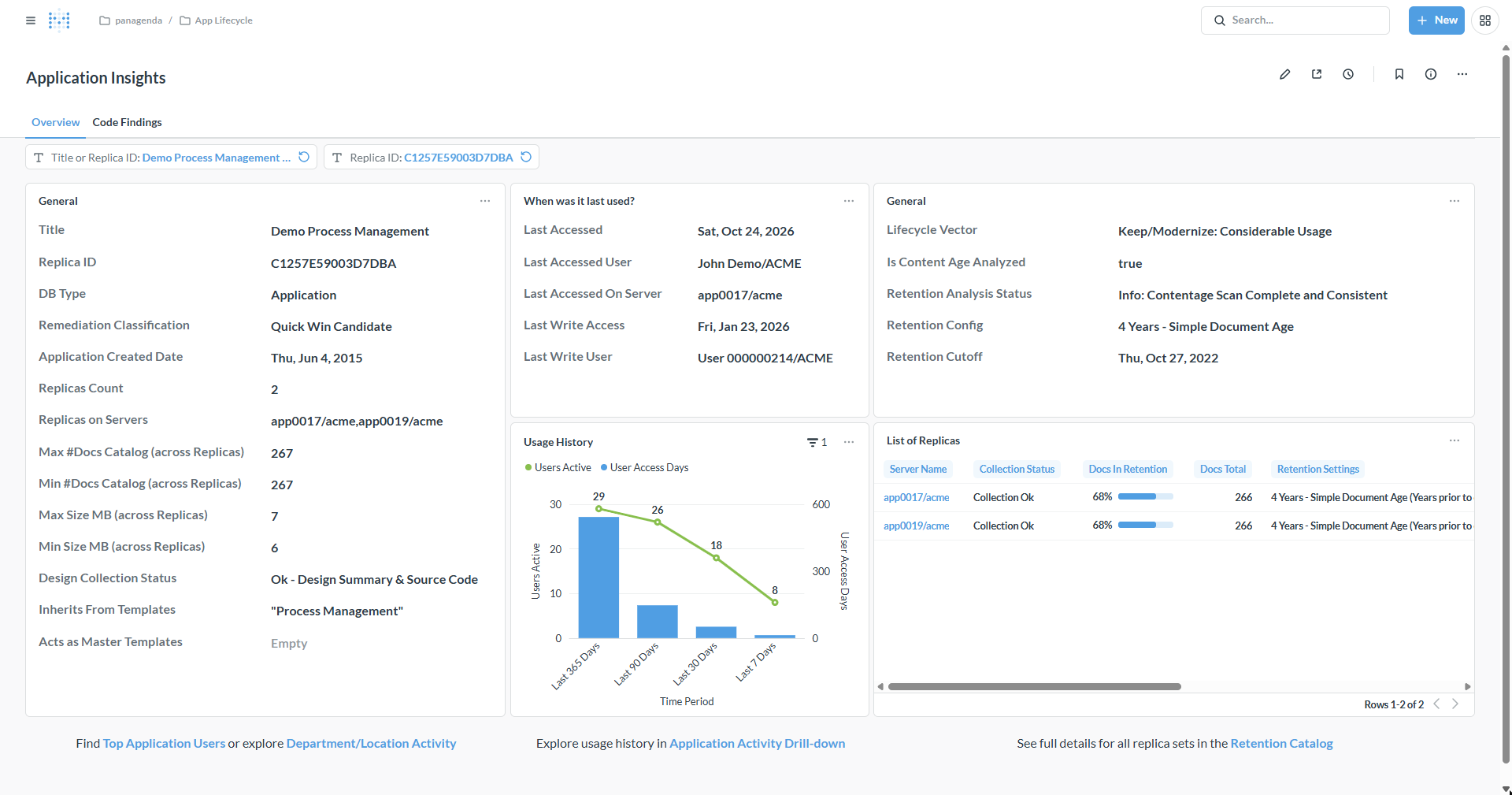
- General (left): title, replica ID, database type, creation date, the replicas and their servers, document counts and size across the replicas, the design collection status, and the templates the application inherits from or acts as.
- When was it last used?: last access and last write, with user and server.
- Usage History: active users and user access days over the last 365, 90, 30 and 7 days. A steep drop towards the recent periods is a sign of an application on its way out.
- General (right): the lifecycle vector and the content age and retention facts behind it.
- List of Replicas: each replica with its server, collection status, documents in retention and retention settings.
- The links at the bottom open the same application in [Top User Lookup], [Department/Location Activity], [App Activity Drill-down] and the [Retention Catalog].
Code Findings Tab
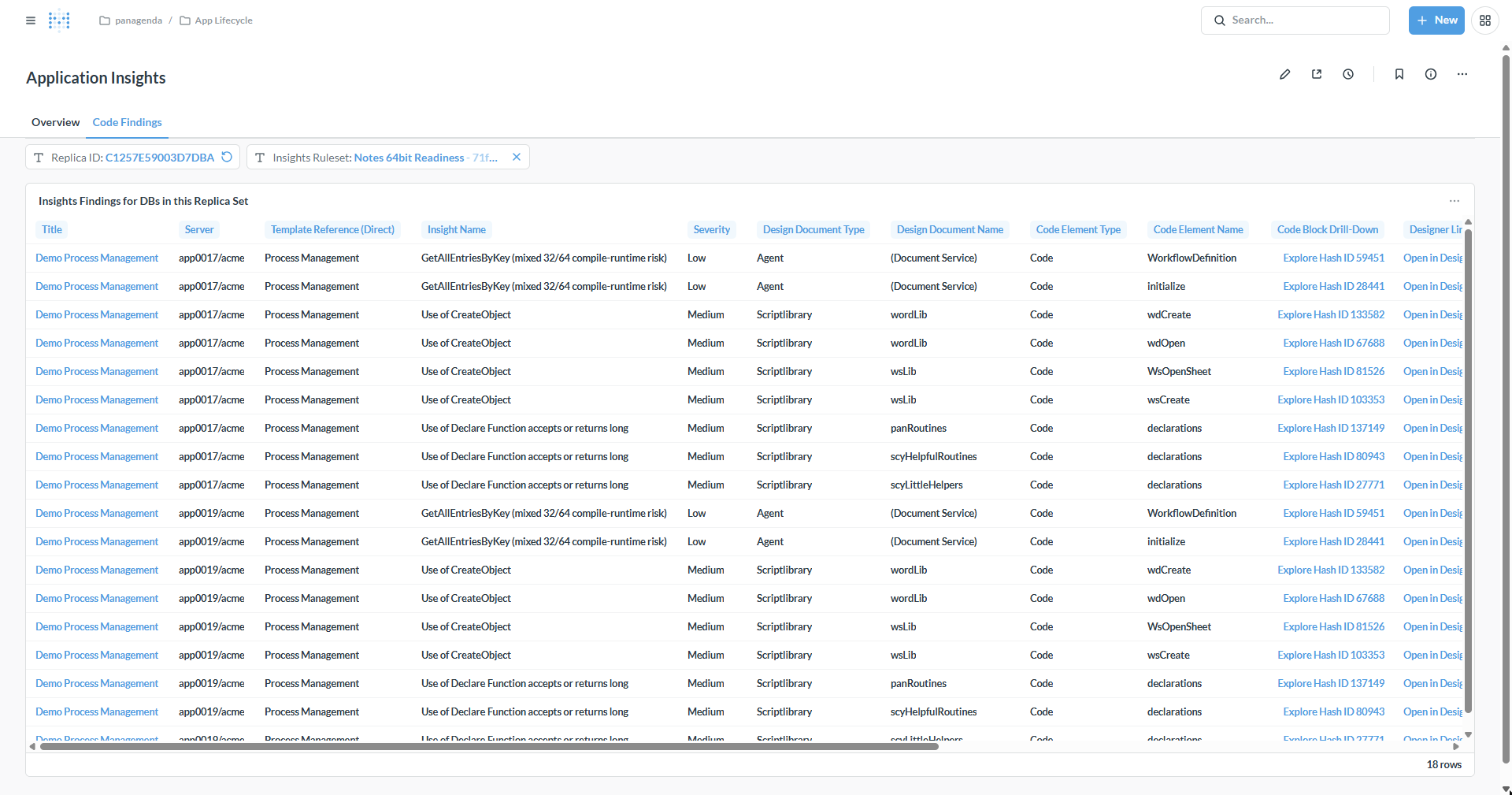
Every code finding in the application's databases for the selected [Insights Ruleset] (by default Notes 64-bit): server, template, finding and severity, the design document and code element, a drill-down to the code block and a link that opens the element in Domino Designer.
Did you know?
Instead of collecting the facts about one application from several dashboards, you can ask the iDNA Applications Companion: "Tell me everything about Demo Process Management: is it still used, should we keep it, and what does it take to make it ready for Notes 64-bit?" The Companion combines usage, lifecycle vector, modernization route and findings into one answer. See Setting up iDNA Applications Companion.
Related Topics
- Application Lifecycle in iDNA Applications: the concepts behind the lifecycle and modernization fields.
- Content Age and Data Retention Analysis in iDNA Applications: the retention facts.