Page History
...
Network is at the top because it is the most critical element throughout the user experience journey. It provides aggregated views for Wifi and Wired Networks as well as a line indicating when user are using Virtual adapters (VPN). The tooltip information provides all relevant details about the network connection, such as whether the user is using an authenticated network and the network adaptor (Description). Network Events shows Bssid changes, when users change hotspots. This is going to be expanded even further in the near future with more network-related change events.
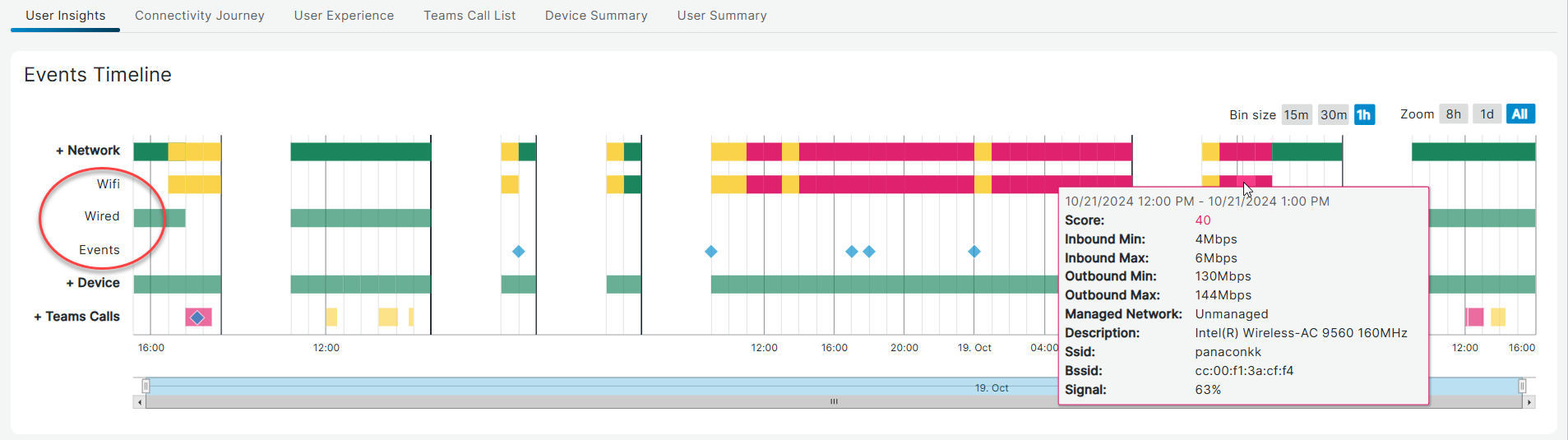
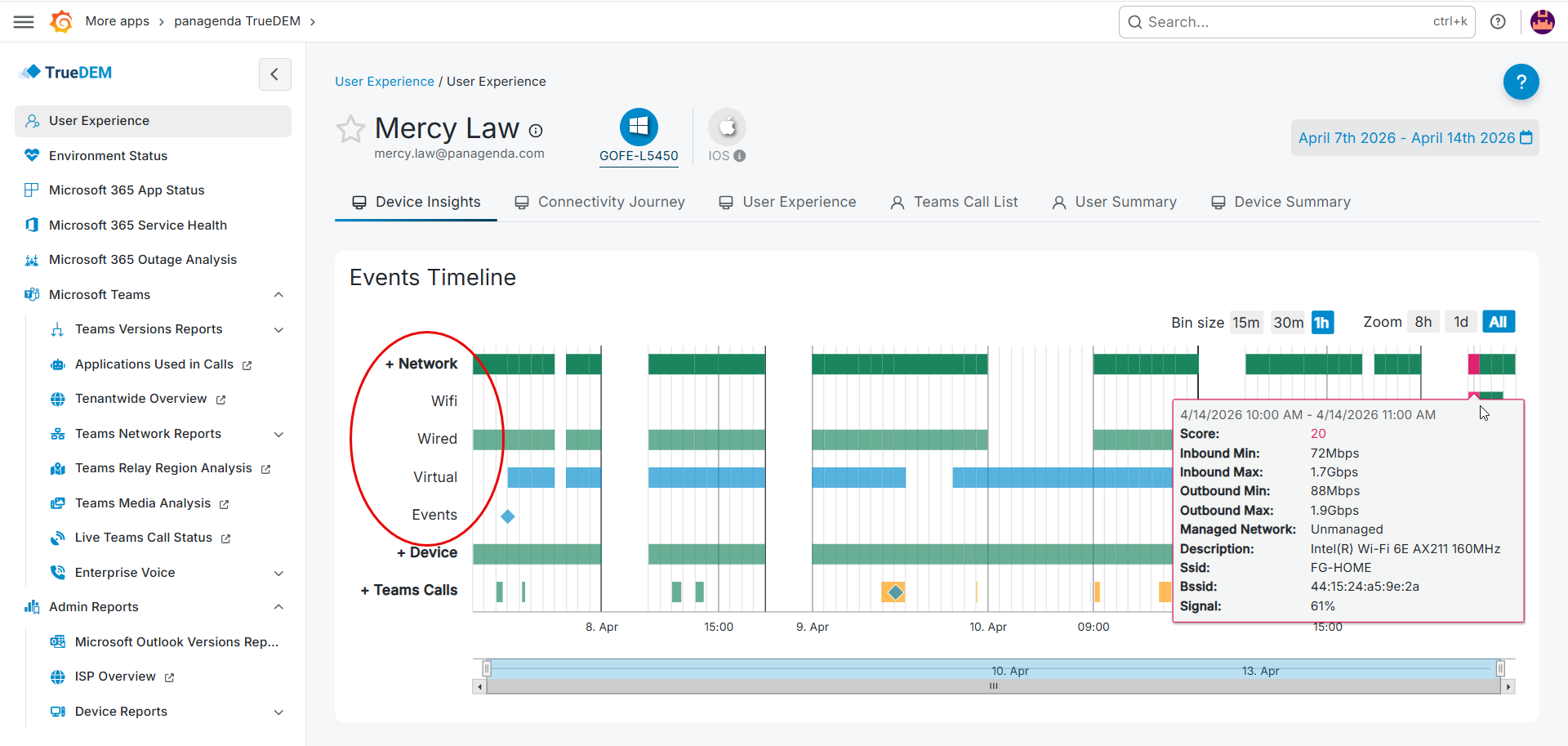
Device
The Device category shows the perspective from the hardware itself. For instance: "Are my local resources exceeding certain levels (cpu utilization, memory utilization) and therefore do they impact my experience?". Device events are shown for all updated/removed/added events on software applications as well as system reboots.
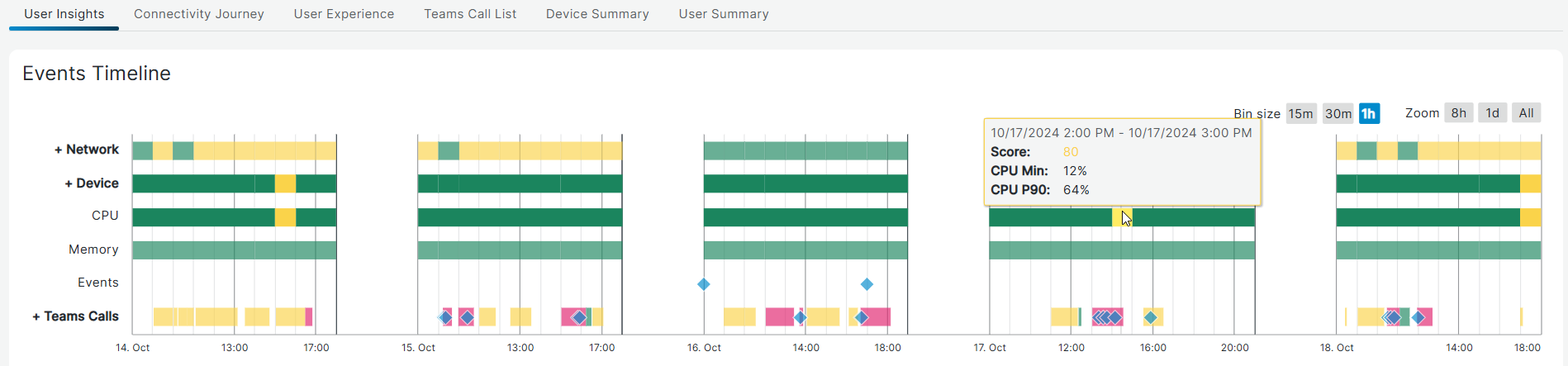
As CPU and Memory can fluctuate greatly throughout the selected time frames, we show the minimal CPU percentage for the time frame as well as the percentage based on the 90th percentile (P90). This ensures extreme outliers don't cause unnecessary alerts.
...