Page History
...
It is important to note that call counts on that page are based on established thresholds.
| Code Block |
|---|
Audio Jitter > 30msAudio Rtt > 200msAudio Loss Rate > 5%Video Rtt > 200msVideo Jitter > 30ms Audio Rtt > 200ms Audio Loss Rate > 5% Video Rtt > 200ms Video Loss Rate> 5%VBSS5% VBSS Loss Rate> 5%Memory >5% Memory 90%Cpu> 90%Wi-Fi Signal < 70% |
...
Type
...
Threshold
...
Audio Jitter
...
> 30ms
...
Audio Rtt
...
> 200ms
...
Audio Loss Rate
...
> 5%
...
Video Rtt
...
> 200ms
...
Video Loss Rate
...
> 5%
...
VBSS Loss Rate
...
> 5%
...
Memory
...
> 90%
...
Cpu
...
> 90%
...
Wi-Fi Signal
...
< 70%
...
> 90%
Cpu > 90%
Wi-Fi Signal < 70%
|
Three key aspects to consider:
• Aggregated Figures from the selected time range
• Time range will be capped at 14d maximmum
• Numbers are counted as "User Calls"
...
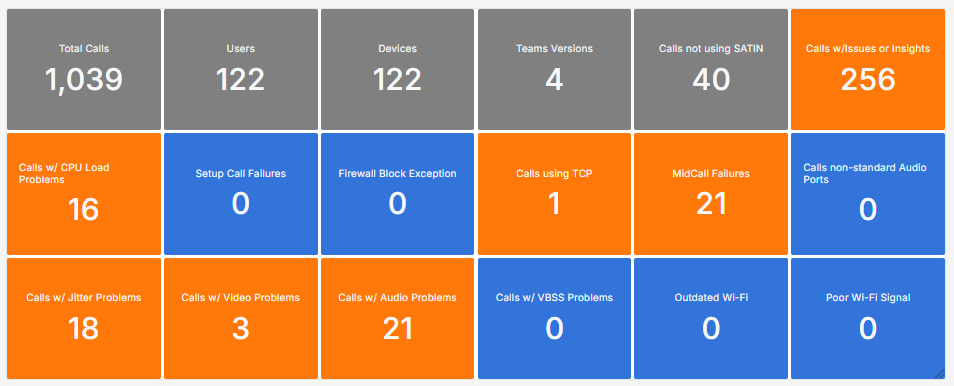
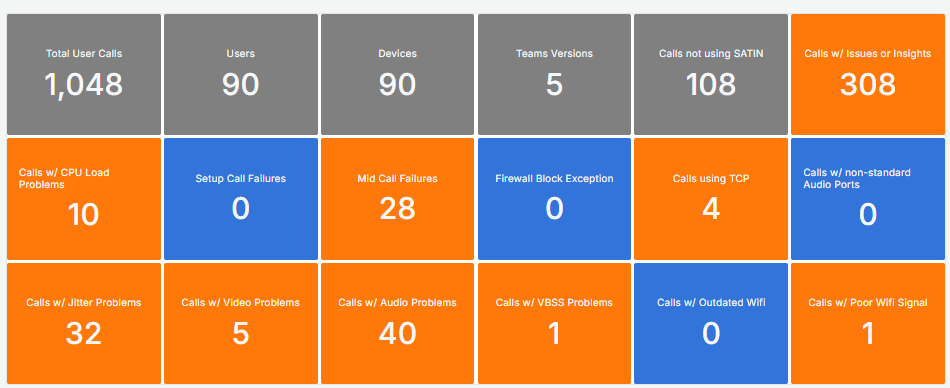
The KPI Grid gives an overview at a glance.
Tiles appear in grey for general information, blue if there are no issues, and orange when a user call matches a problem type.
Timelines
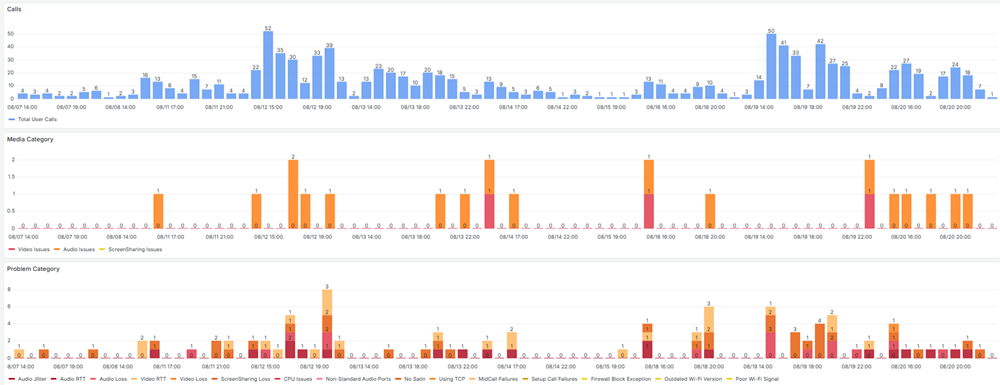
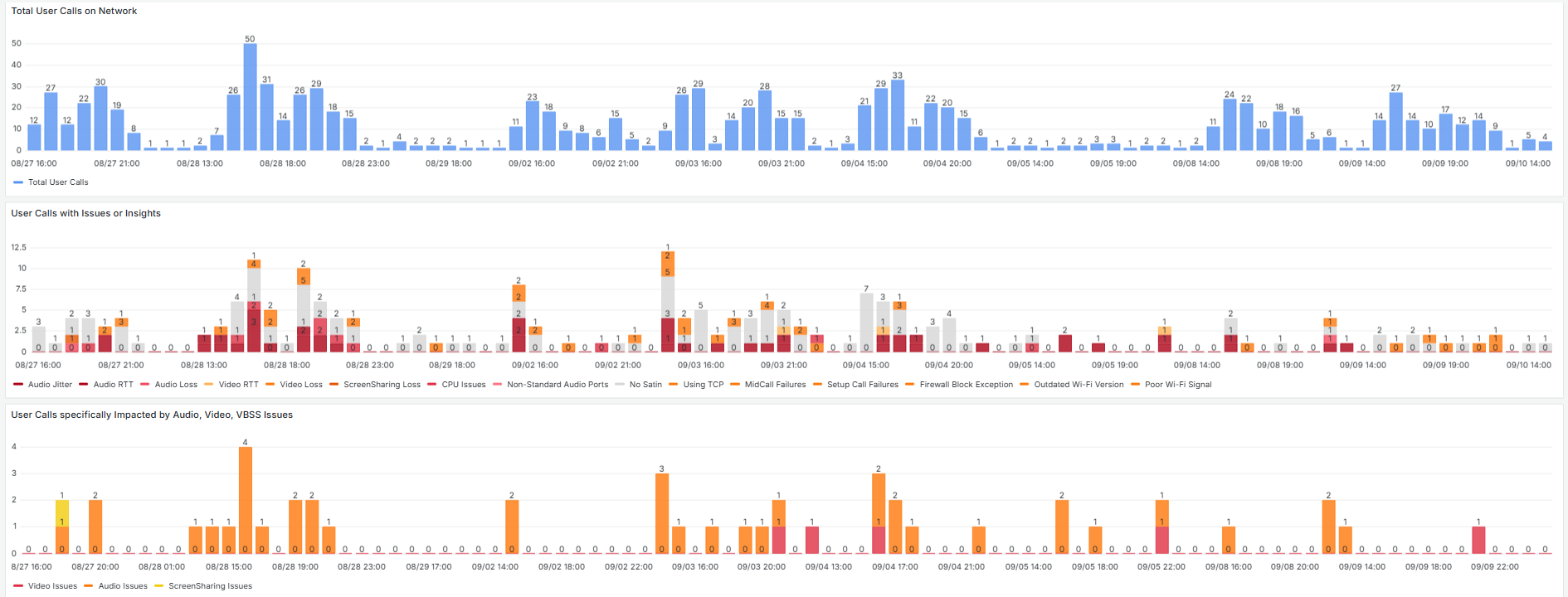
There are three timelines in a sequence to quickly identify patterns.
- The first one depcits depicts the number of users user calls* per hour.
- The second one maps the individual findings (insights/issues) on the timeline.
- The third timeline shows the number of user calls where an a media category (Audio/ Video / VBSS) was flagged as impacted as a stacked barchart
- The third one maps the individual findings (insights/issues) on the timeline.
Different Perspectives (Group by)
...
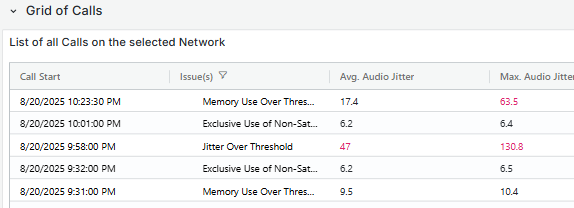
This grid displays call records made by individual users on the network, presenting key information for each entry. Selecting a row redirects to the Call Debug Page, where detailed user data details about the Call can be accessed.
*With "User Call" we mean the unqiue combination of a user in a call. This means that if there is a single call with 4 users the number of user calls is 4. If a user leaves a call, and later returns into the still ongoing call, that is seen as 1 user call.