
Page History
...
| Table of Contents |
|---|
Highlights
Departments for Content Editors
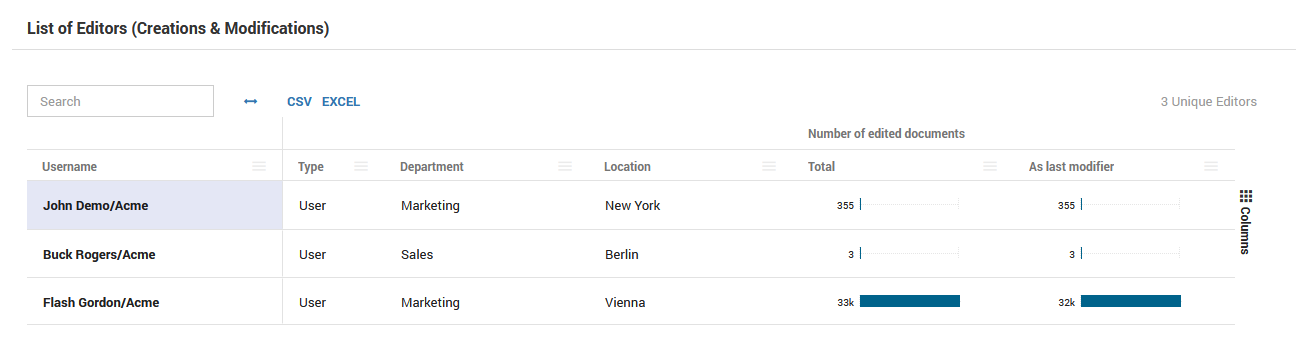
The list of document editors in the Content Analysis area of database details now holds information about user department and location. This new feature is especially useful when user names have to remain pseudonymized due to data protection regulations.
User/Application Activity Drill-down
A new dashboard named "Advanced: User Activity Drill-down Analysis" has been added and can be accessed in the menu under "Usage" → "By User". The main reason for adding the dashboard was the need to dynamically answer the question: "Which users have accessed which type of applications in what time period?". Not surprisingsurprisingly, these factors are weighed weighted differently at by different customers. Especially the period of time it takes for an employee to count as "inactive".
...
That is not all, however. The dashboard allows a for the ability to drill - through to the replica set level directly from within the table. This enables asking of the followup question drilling down further into the follow-up question: "Who else used this database, and in which time period?".
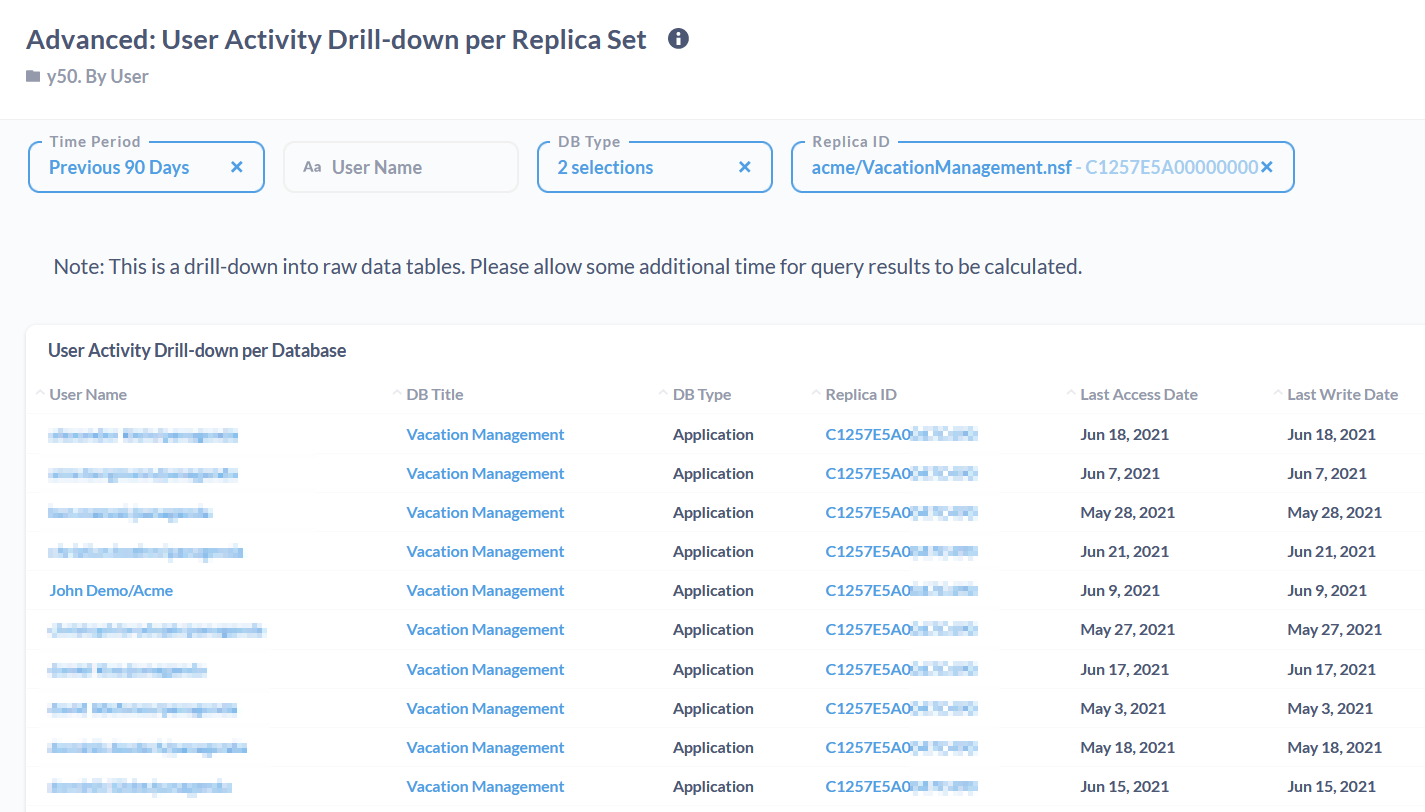
Questions along following this line of thinking are extremely valuable when it comes to identifying application owners and stakeholders.
New Features
DB Type Re-categorization: It is now possible to prioritize DB re-categorization rules higher, by adding a * at the beginning of their name. This works on four levels, with three leading asterisks as the highest priority and the current non-astersik format as the least prioritized.
For example: the rule named "***Highest Priority" will be prioritized over "**Higher Priority", which again is prioritized over "*High Priority". All of these are prioritized over the rule named "Normal Priority".
Improvements
DB Type Re-categorization: It is now possible to prioritize DB re-categorization rules higher, by adding a * at the beginning of their name. This works on four levels, with three leading asterisks as the highest priority and the current non-astersik asterisk format as the least prioritized.
...
Department/Location Import: An advanced feature has been added that allows you to programmatically manipulate collected department and location data during automatic processing. To use this new hook function, please contact support@panagenda.com.
Department/Location Processing: This new version now makes a clearer distinction on as to which users get the department/location "Comany Company [ID: 1]" and "Unknown [ID: -1]". The designation "ID: 1 are " applies to all users that cannot be linked to a specific department, but have person records in the Domino Directory and can thus be linked directly to the top-level organization. The designation "ID: -1" is the unknown department/location for users where activity is present, but they cannot be linked to the current organization structure via the Domino Directory. A typical example for of who would fall under the designation "ID: -1" would be those users that are no longer with the company. Thus it is easier to distinguish between the "current users" and the "users who were active in the past".
Content Analysis: Attachment file extensions were previously treated case sensitive (file1.pdf vs FILE2.PDF). While a the case can could be made that this technically that makes sense, the overwhelming feedback of from our customers and partners has been to instead treat it case in-sensitiveinsensitive. For example: if a document has two attachments FILE1file1.PDF pdf and File2FILE2.PdfPDF, they will both be processed as a single attachment extension category "pdf", rather than two separate ones.
Domino Binaries: iDNA now uses HCL Domino 11 FP3 components to perform design exports. Due to fixes in HCL has done great work on the DXL exporter code, that so the result of this update should result in significantly less fewer databases with design scan errors.
Metabase Upgrade: The integrated Metabase application has been upgraded to the latest version. Improvements include better filtering, easier and more powerful dashboards and chart creation abilities.
Bug Fixes
General UI: A potential issue with caching has been fixed. This bug could lead to outdated data being displayed in the user interface.
Catalog Grids: An issue has been resolved that lead led to several dates (e.g. Last Access, Last Write) in catalog grids to be being displayed incorrectly due to double time zone conversion being erroneously performed twice.
Catalog Grids: A bug has been resolved that lead led to the header text of the first column header ("Title") of an Excel export being empty. The data for the column "Title" itself was present, but in the header text was empty.
DB Type Categorization: Deleted databases will now be excluded from calculations while when trying to determine the correct DB Type for a replica set. In rare situations this could lead to incorrect db categorization.
Agent List Processing: A potential issue has been fixed where nightly processing of agent data could crash in the case of invalid date content.
Docker Containers: The panagenda_idna container now properly displays its health status and does not report "unhealthy" anymore unless there is a real issue.
Views Processing: Views are now handled and categorized properly. Several factors lead to potential issue issues in the categorization of Views and Folders during processing Design data.
Department/Location Processing: An potential issue has been fixed that occurred in rare situations when a certain combination of characters was were part of a department or location that are used as considered to be special characters in PostgreSQL.
Department/Location Display: In database details under the tab "Usage", the correct time frame of 90 days for the data shown is now being displayed to avoid confusion.
[IFA-1111] - DBUsage Summary by Repset fails with Array Size Exceeded
[IFA-1093] - Upgrade Metabase to latest version
[IFA-1108] - Rework merging of Catalog Views with DDA Views.
Nightly Data Processing: A rare issue has been fixed that would lead to an error during nightly processing.
Structural Changes / Upgrade Path
Data Warehouse Rebuild Required
| Note | ||
|---|---|---|
| ||
After installing the update, parts of the application may not be available until the data warehouse is rebuilt. This process runs automatically at night, but can be triggered manually after the update. On the first login after the installation, more information on this topic will be displayed, along with the option to trigger the rebuild. |
Upgrade Procedure: Container Installer
Details on how to update to this new version can be found in the knowledge base article Upgrading iDNA Applications.
Visit our site to start your evaluation right now!