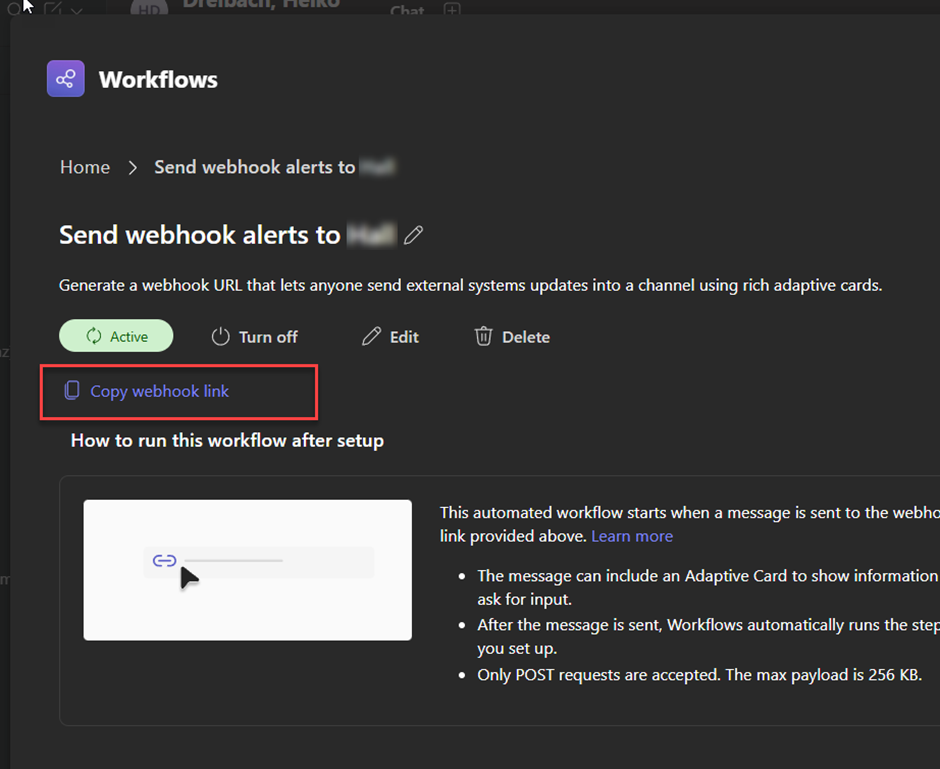
Sending alerts to a Teams Channel by using webhook notifications is a common way to use.
Before you can send alerts to a Teams channel, you must ensure that the necessary configuration is in place within Teams.
Create Webhook Url (link)
Workflows App
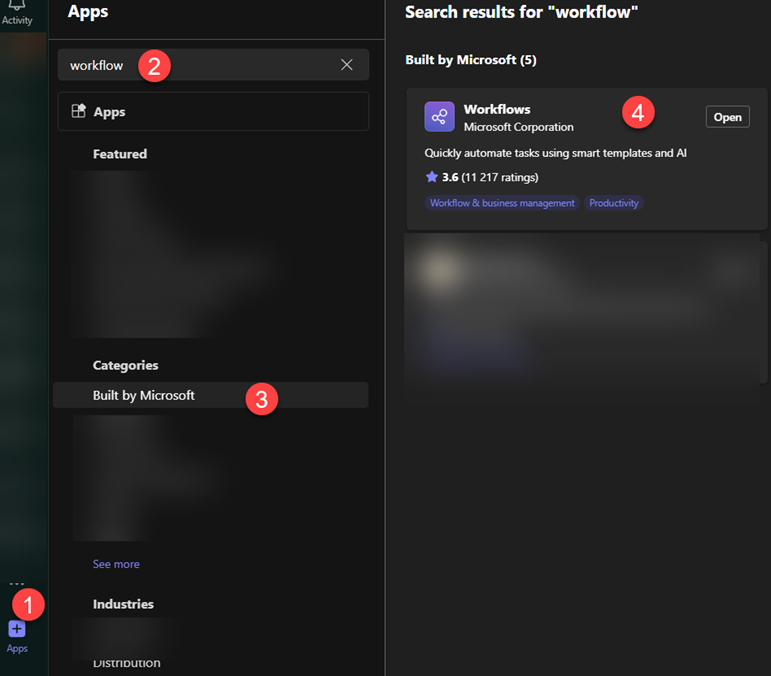
Make sure the Workflows App is available for the Administrator who creates the webhook config. Just simply lookup for the app within your Teams Client and installed it.
Create Webhook Url
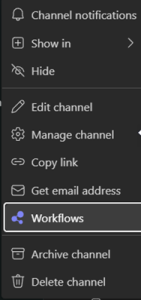
- Select the three dots next to the channel name you want to use for the channel notification and select Workflows
Search for webhook and pick Send webhook alerts to a channel
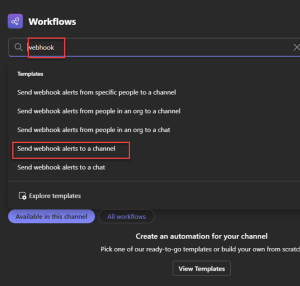
- Select again the Team and the Channel and click on Save
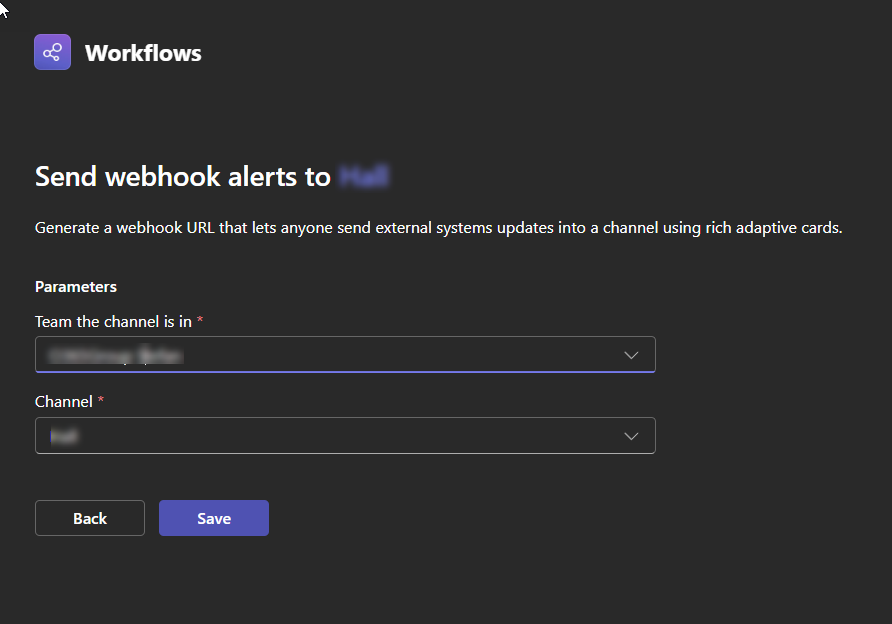
- Whenever done the config is active and you can grab the webhook url which you need to for the configuration inside of TrueDEM