Page History
This page displays real-time metrics gathered by our agent during a call for a specific user. To access this page, first select a call from the call list and then click on the “Real Time Data” link corresponding to the user you wish to inspect.
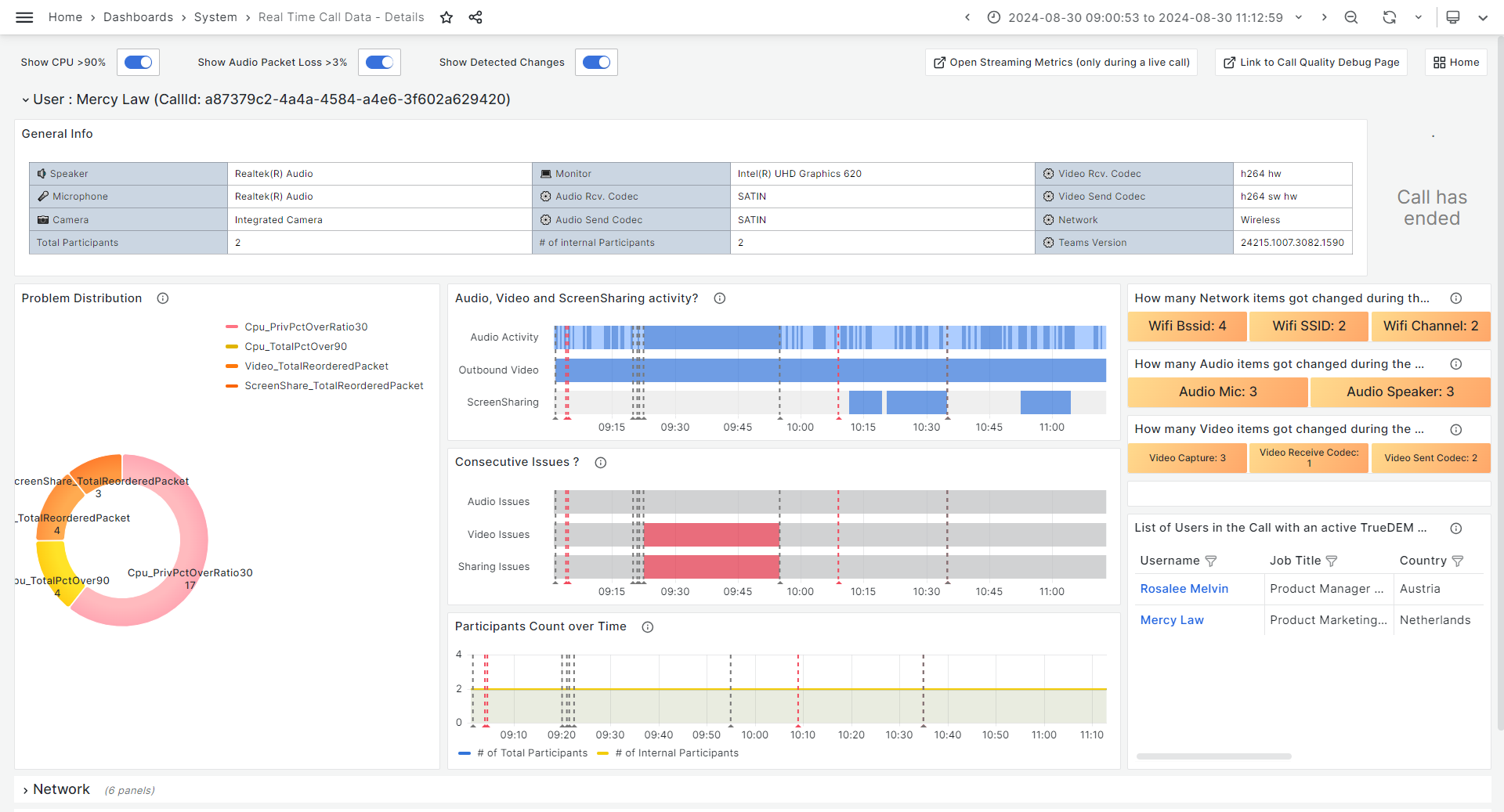
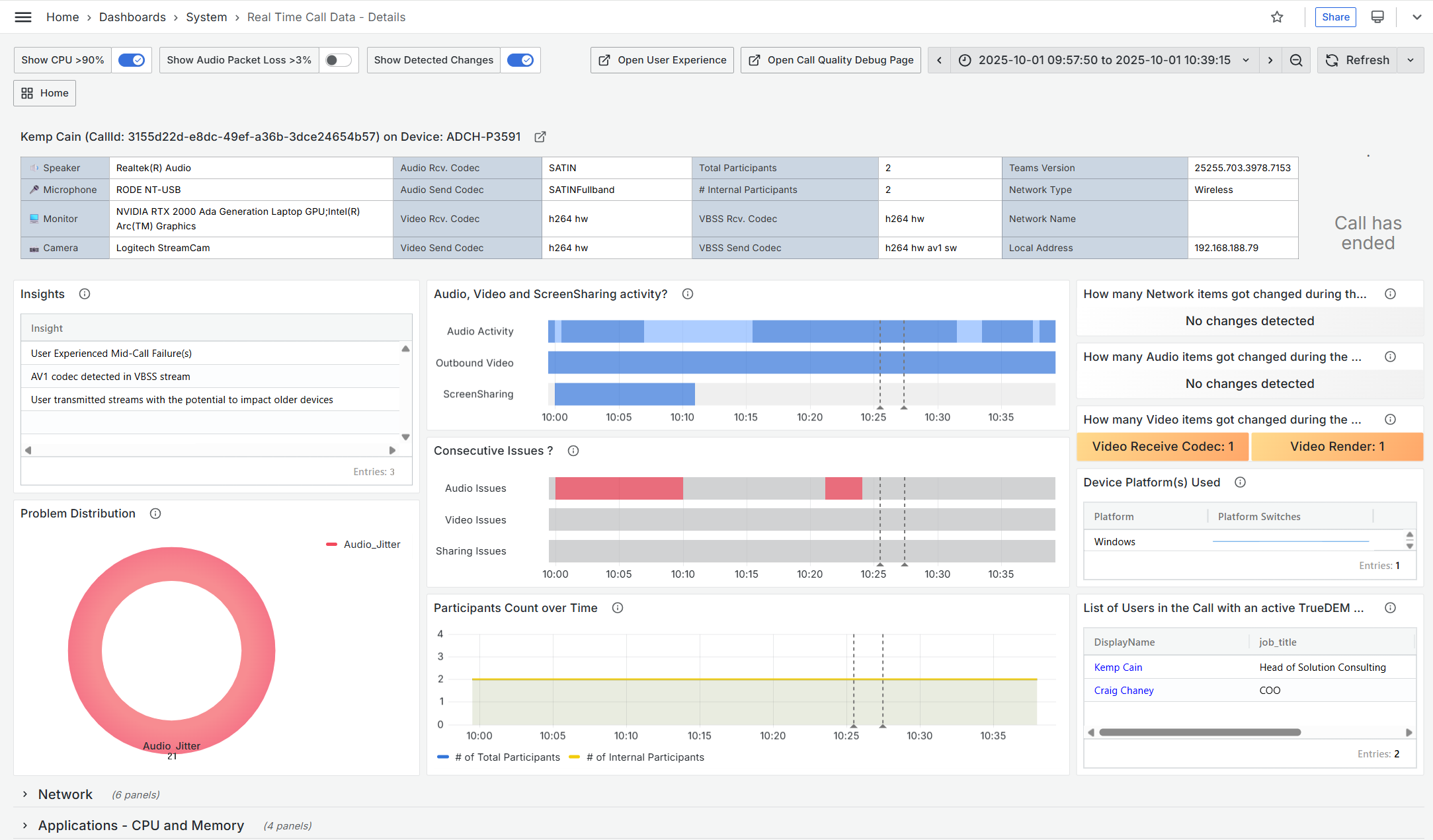
At the top you will have insight into the third party devices used, Teams version, Codec and network type. Below you’ll find information about detected Insights, a donut chart showing the issues detected and how many intervals of 30 seconds thes occured during the call.
...
On the right a section shows changes occuring for Network/Audio and Video. Changes can be anything, like changes in the codec used or switches from network or Wi-Fi network. These also appear as grey time indicators in the various graphs. Details about the changes can be viewed in the sections lower on the form. Below the changes, a graph shows if the user changed device or platform during the call in the Device Platform(s) Used graph. A flat line indicates the same device/platform, a jump will indicate a change to a different device/platform. Mouse over the line to see the number. The numbers correspond to the following identified platfors:
- 8 - Windows
- 16 - iOS
- 32 - macOS
- 64 - Android
- 128 - Teams Room
- 256 - Web
- 0 - platform information does not exist
Also on the right, is a list of of users in the call who had an a TrueDEM agent installed is shown. Note! If you switch users using this list, then please be aware that if you were investigating a call as it was going on (live), the subsequent page does not automatically refresh
...